
 STINGER CHAIR
The book, the wait list, and the door. Included with every tier, not charged per chair.
The book, the wait list, and the door in one place, whether you run a barbershop, a salon, a spa, or any shop with a chair and a line out front. Walk-ins are a named queue in the book, not a clipboard next to it. Included with every Command Center tier, and never charged per chair. Booksy adds $20 a month for every extra team member; Chair does not charge per seat.
Live
Today, on a real shop.
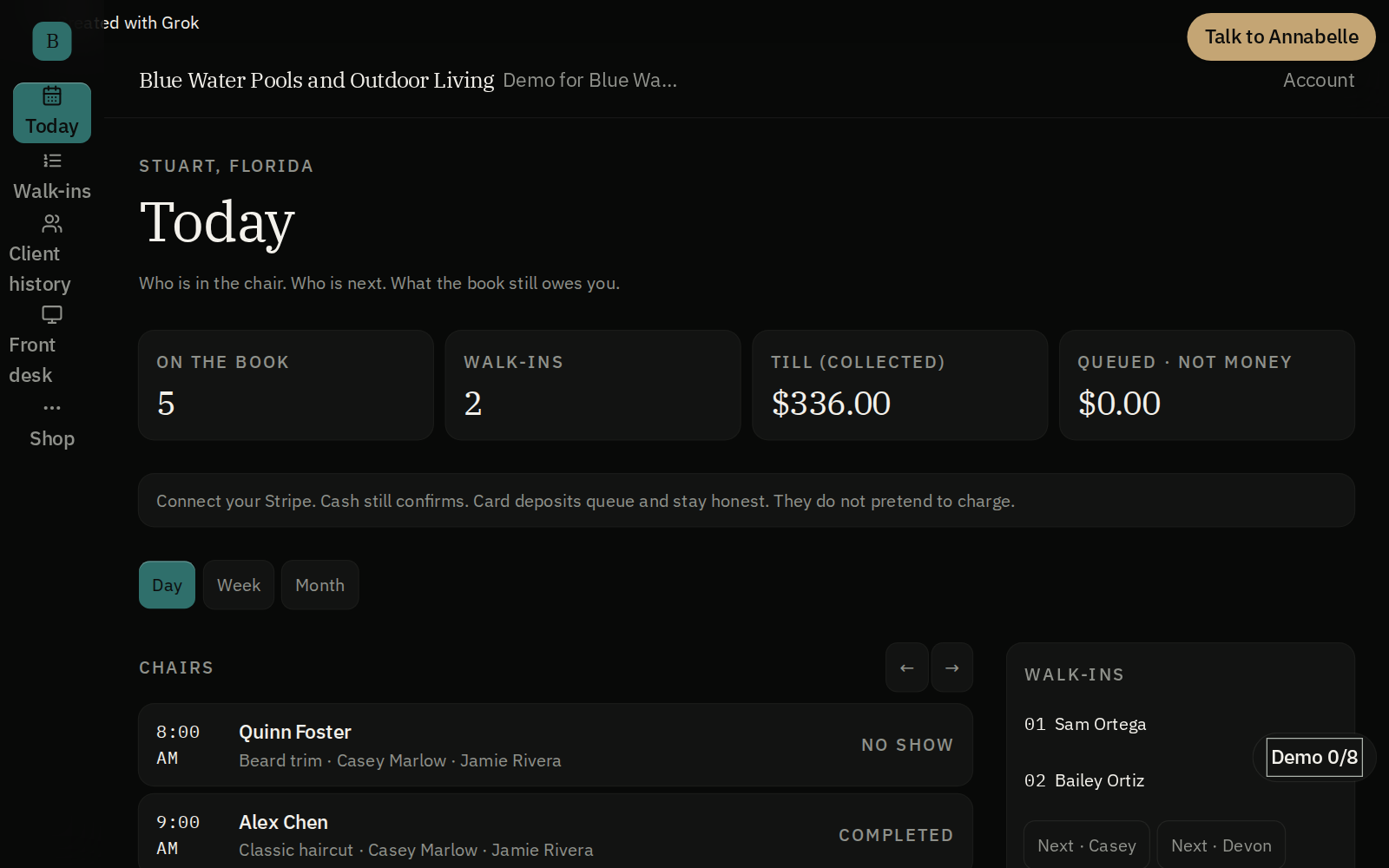
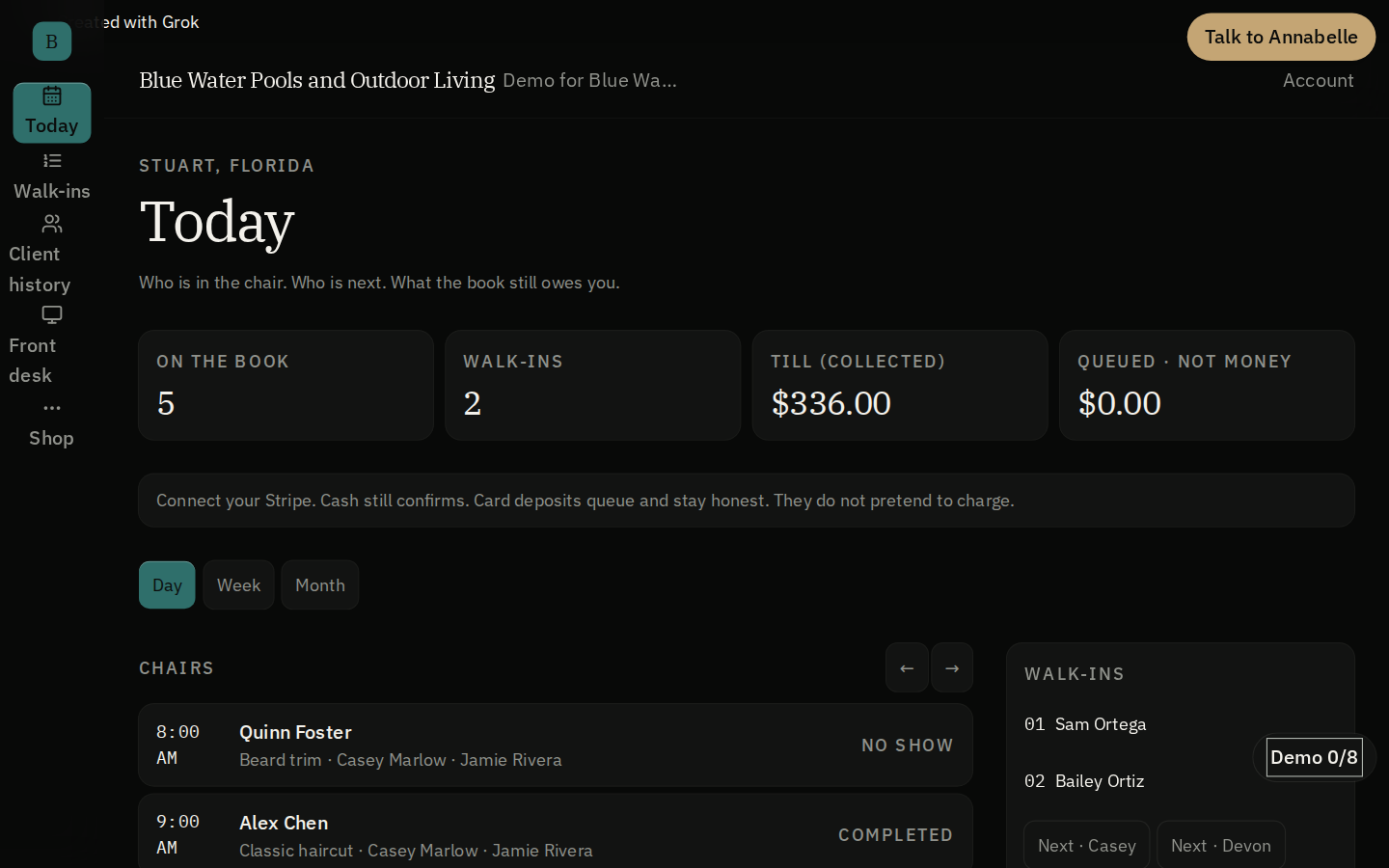
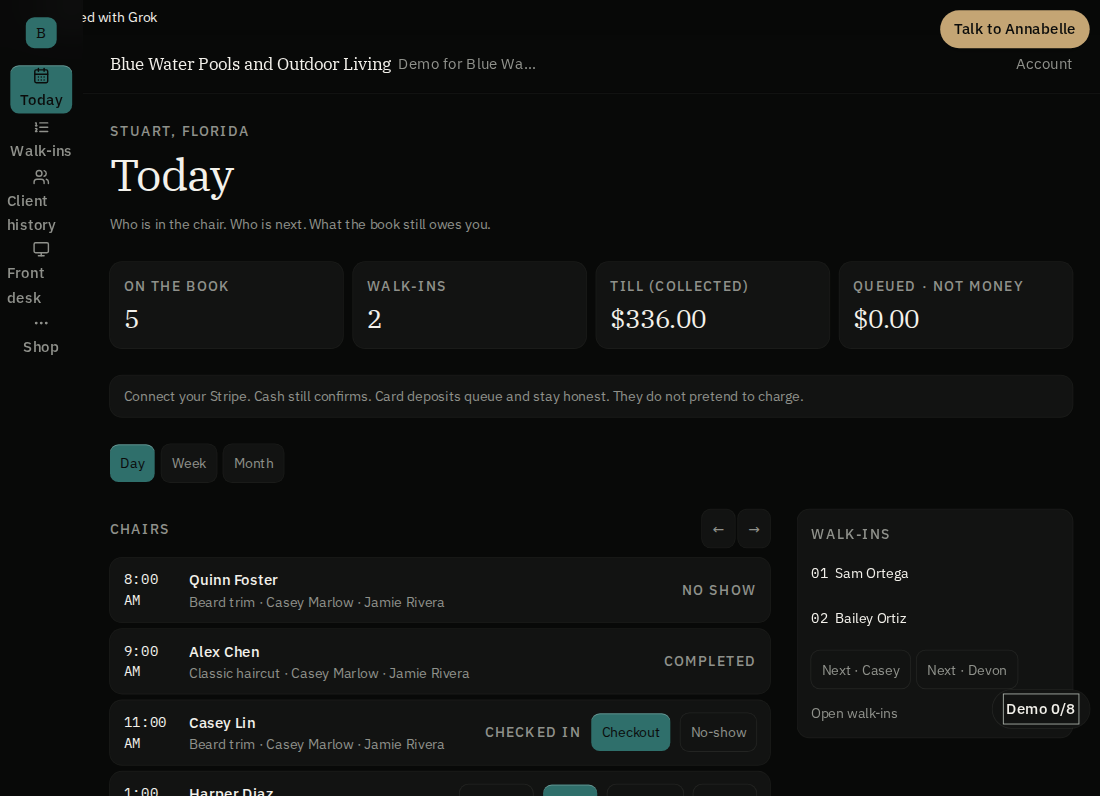
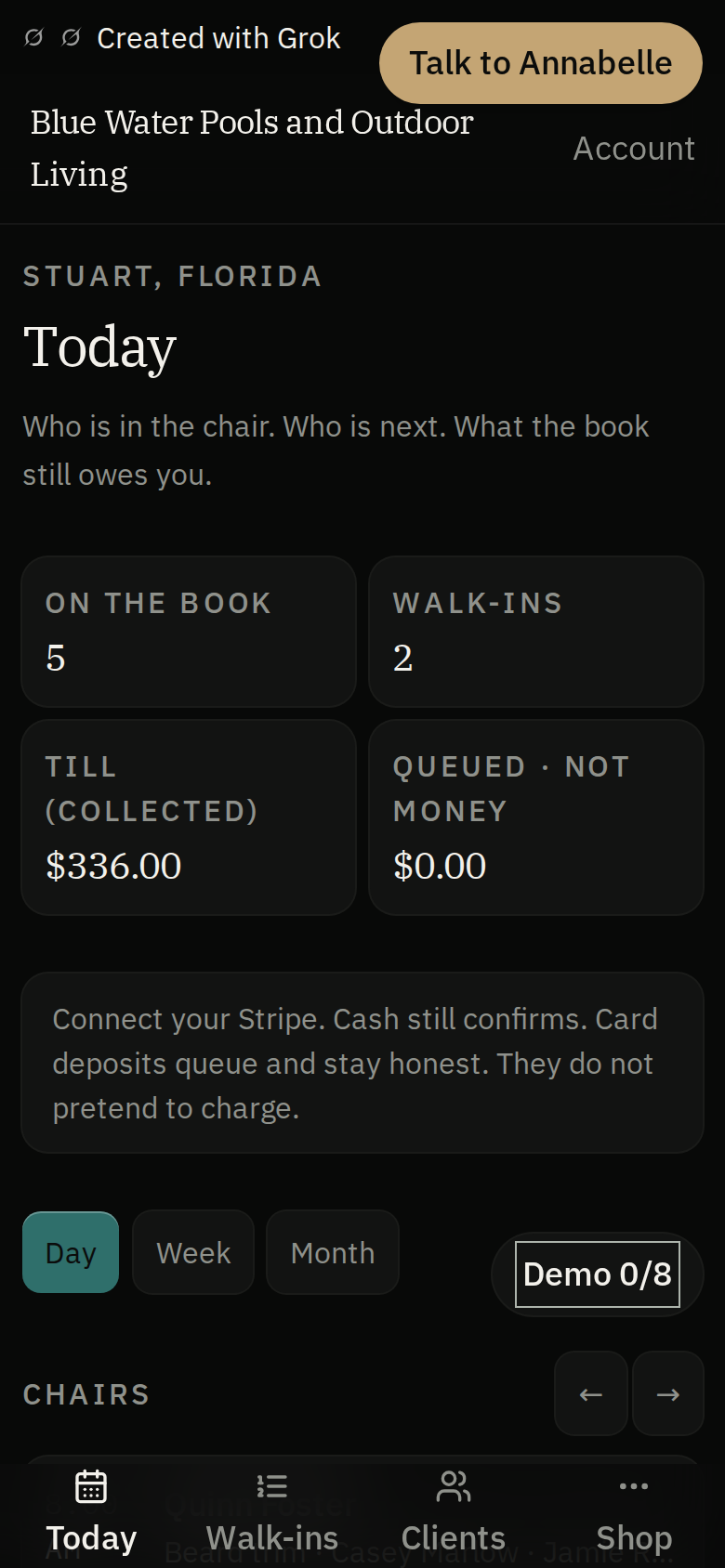
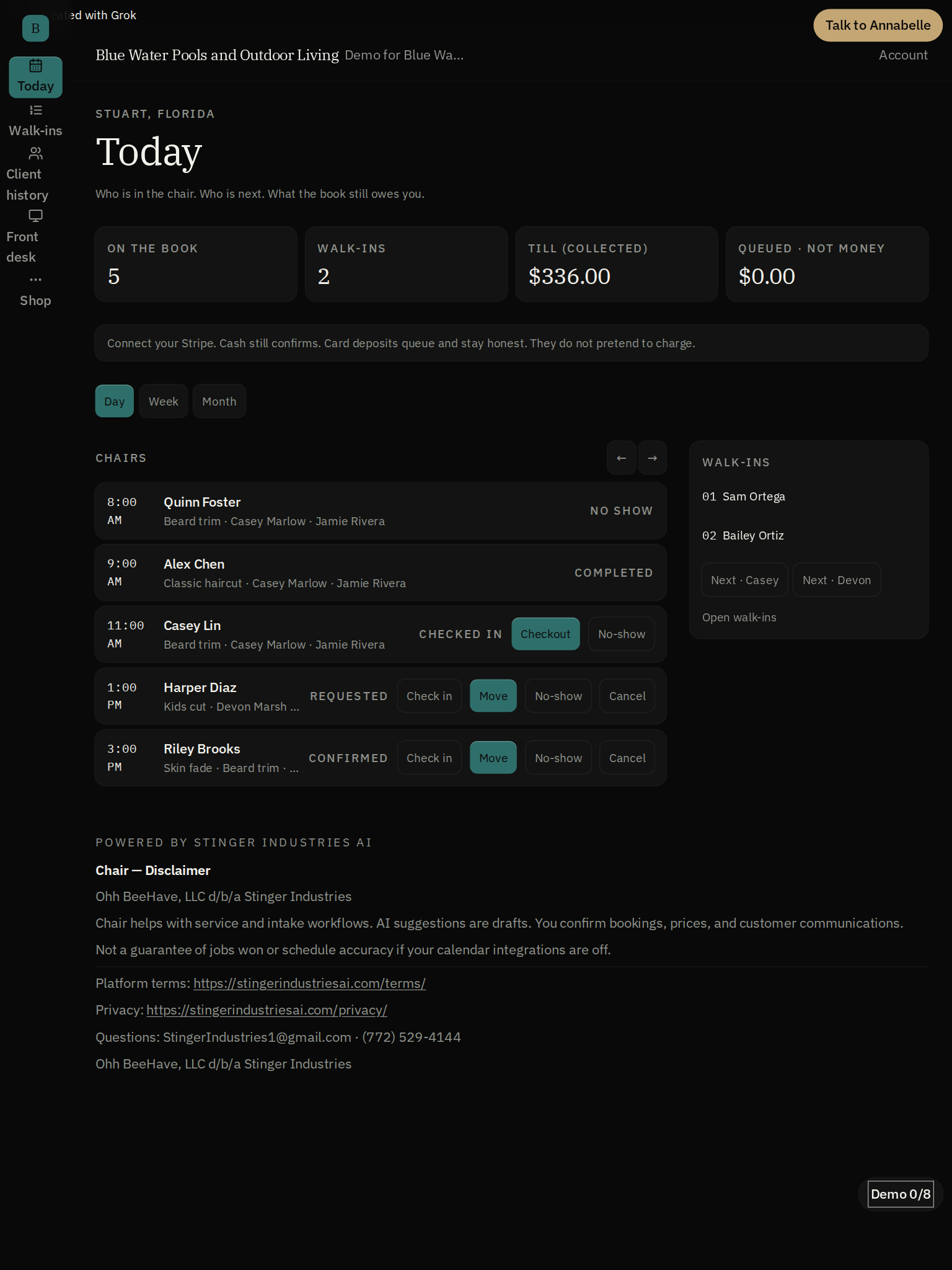
Chair Today shows the Blue Water demo's named appointments, attendance states and walk-in queue. Check the next booking before using Check in, Move or Checkout, with collected and queued money shown separately.
Wait list
Named. In order. Not a clipboard.
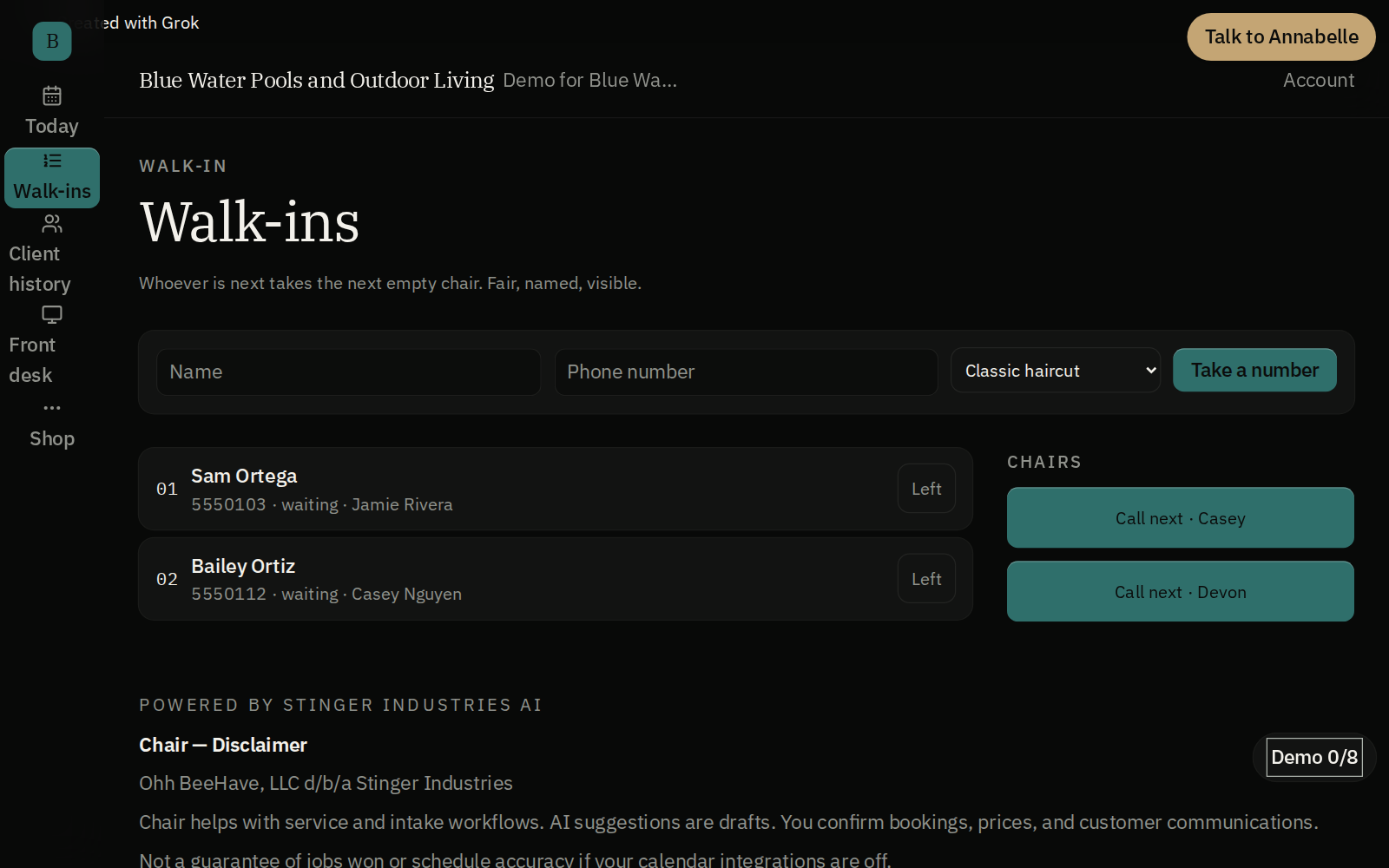
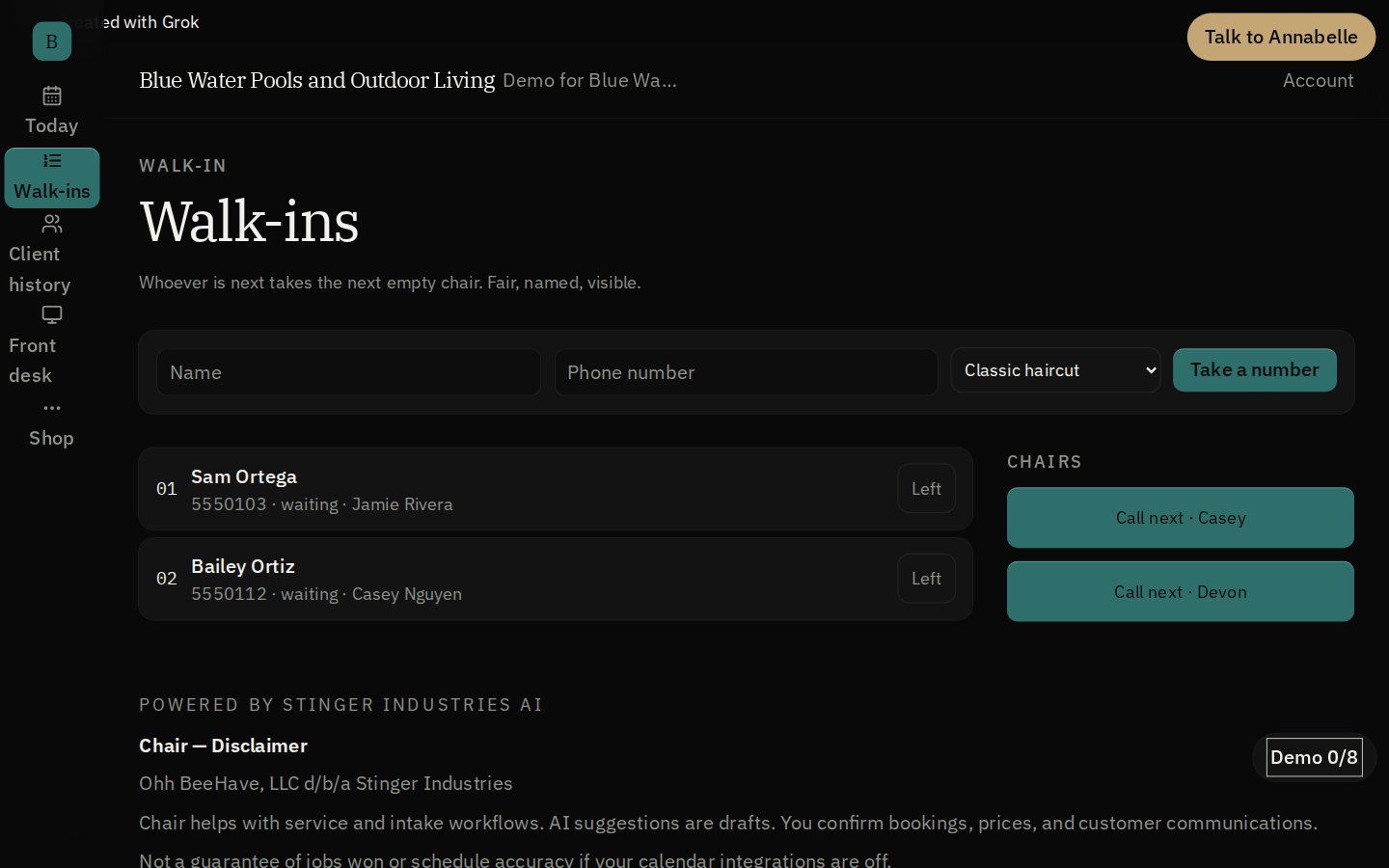
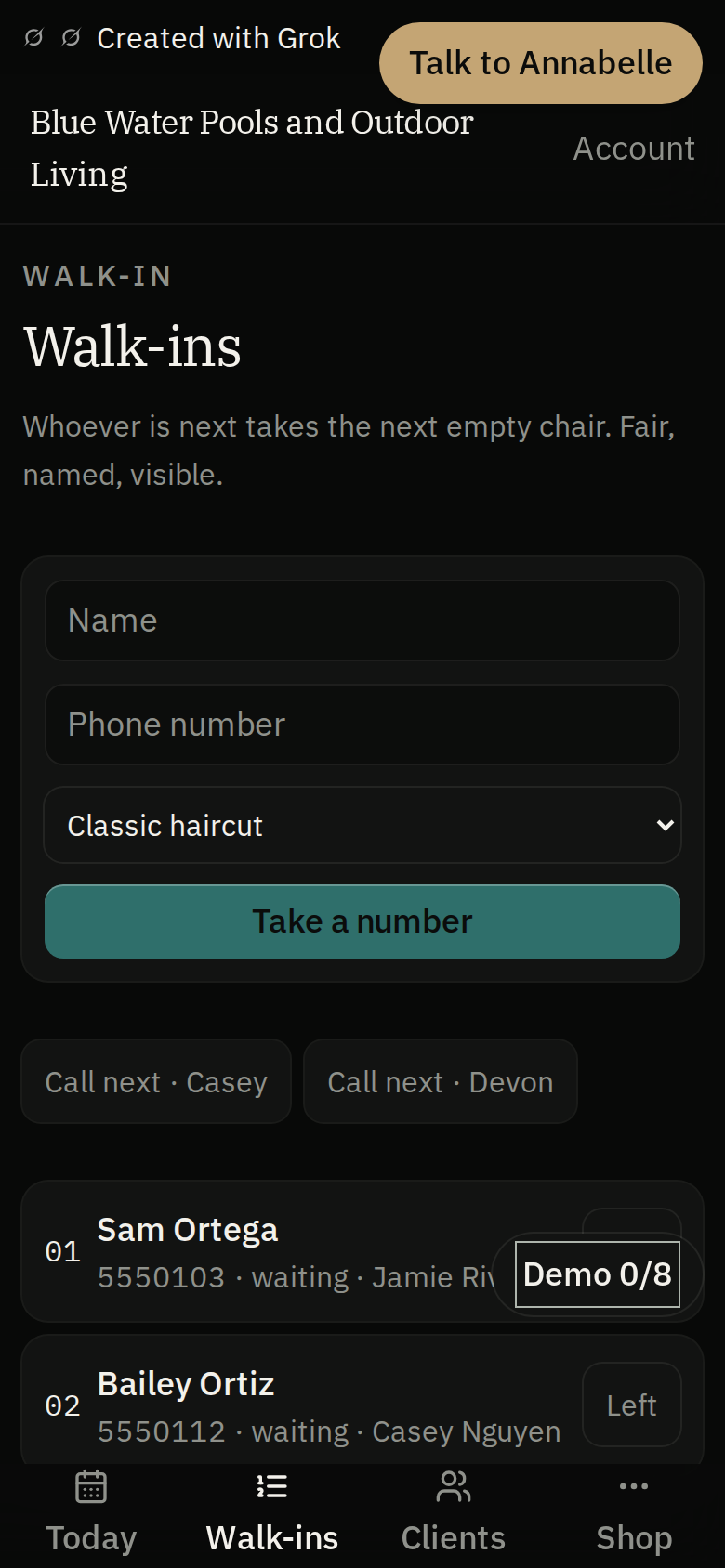
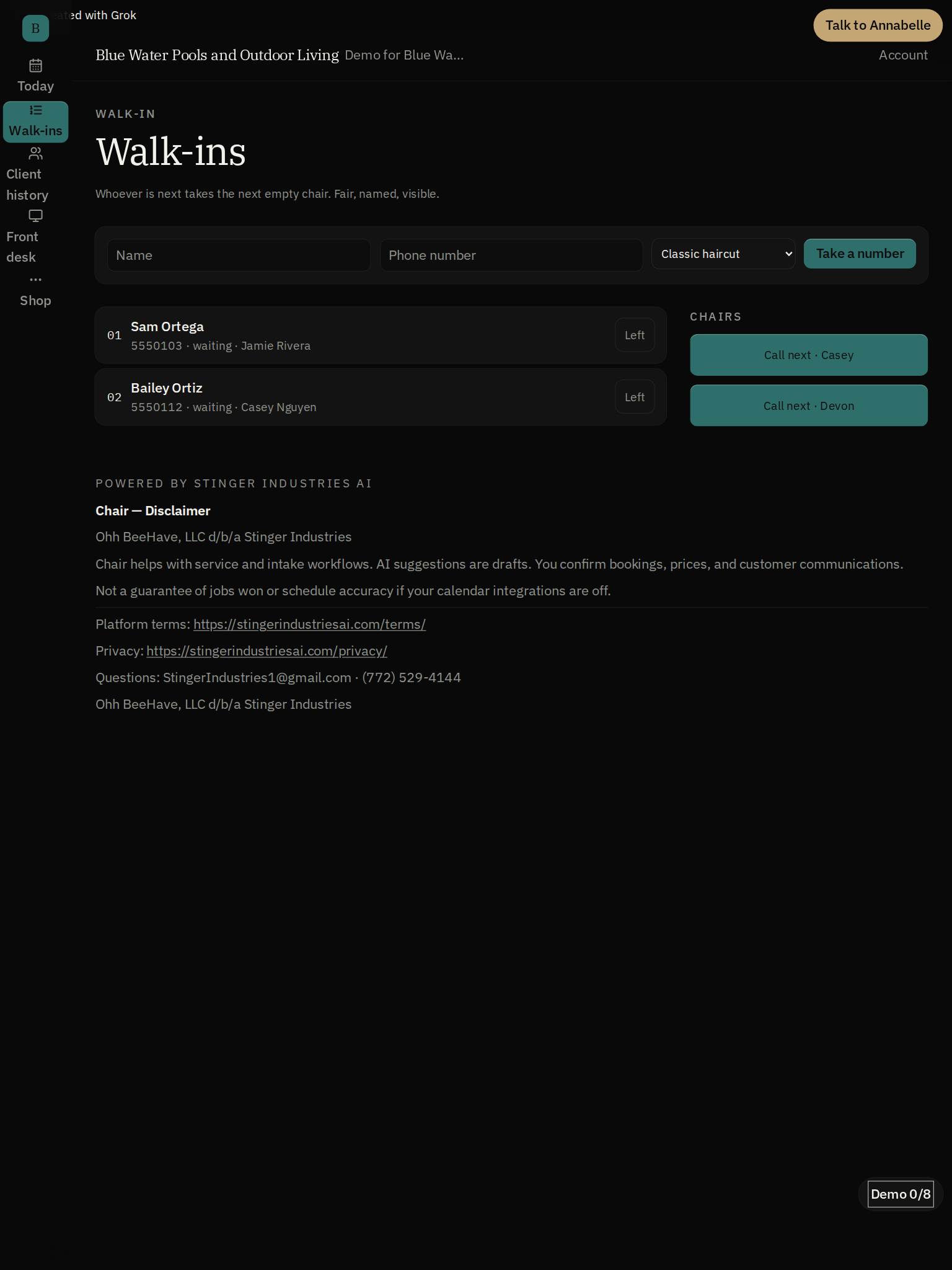
Chair's walk-in queue lists the waiting clients and the controls for taking the next turn. Review the named queue before assigning the next customer to a chair.
See it in action
A closer look
The problem
Marketplace products can't speak a shop floor. Shop products can't speak a clipboard.
Walk-ins are 60 to 80% of a barbershop
If the walk-in line isn't in the book, the book is a lie. The Walk-in line is a named, first-come queue built into Today (call, seat, leave), not a side list.
Booth renters get their own book
A booth renter gets their own booking link and their own book inside the shop. Rent is tracked, not billed. Chair has no payment connection, so nothing is ever drafted from anyone's account.
No client app required
An Instagram bio link goes straight to the shop's own booking page. Phone number is the client's identity: no app to install, no marketplace account to create.
Your brand on the booking page
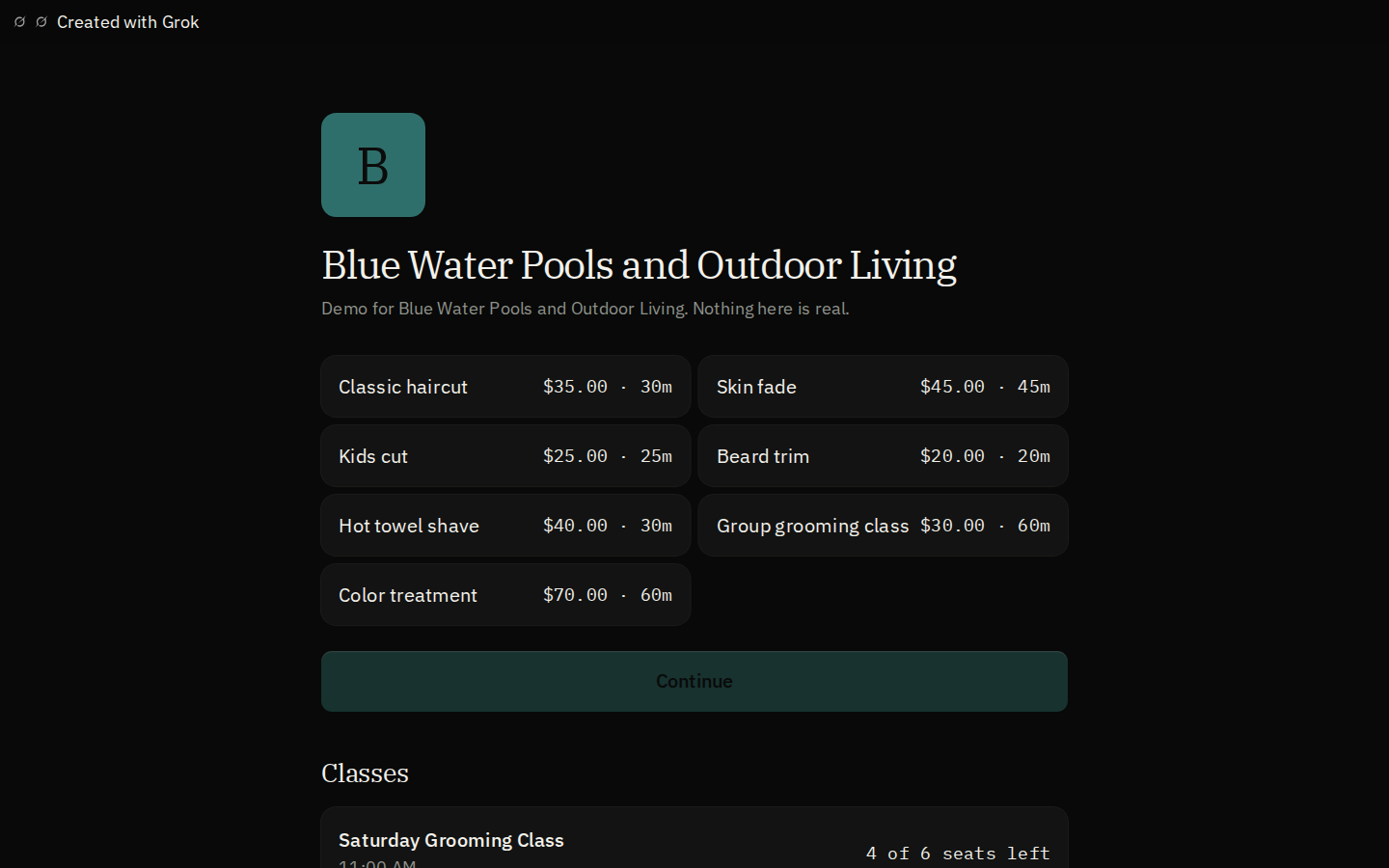
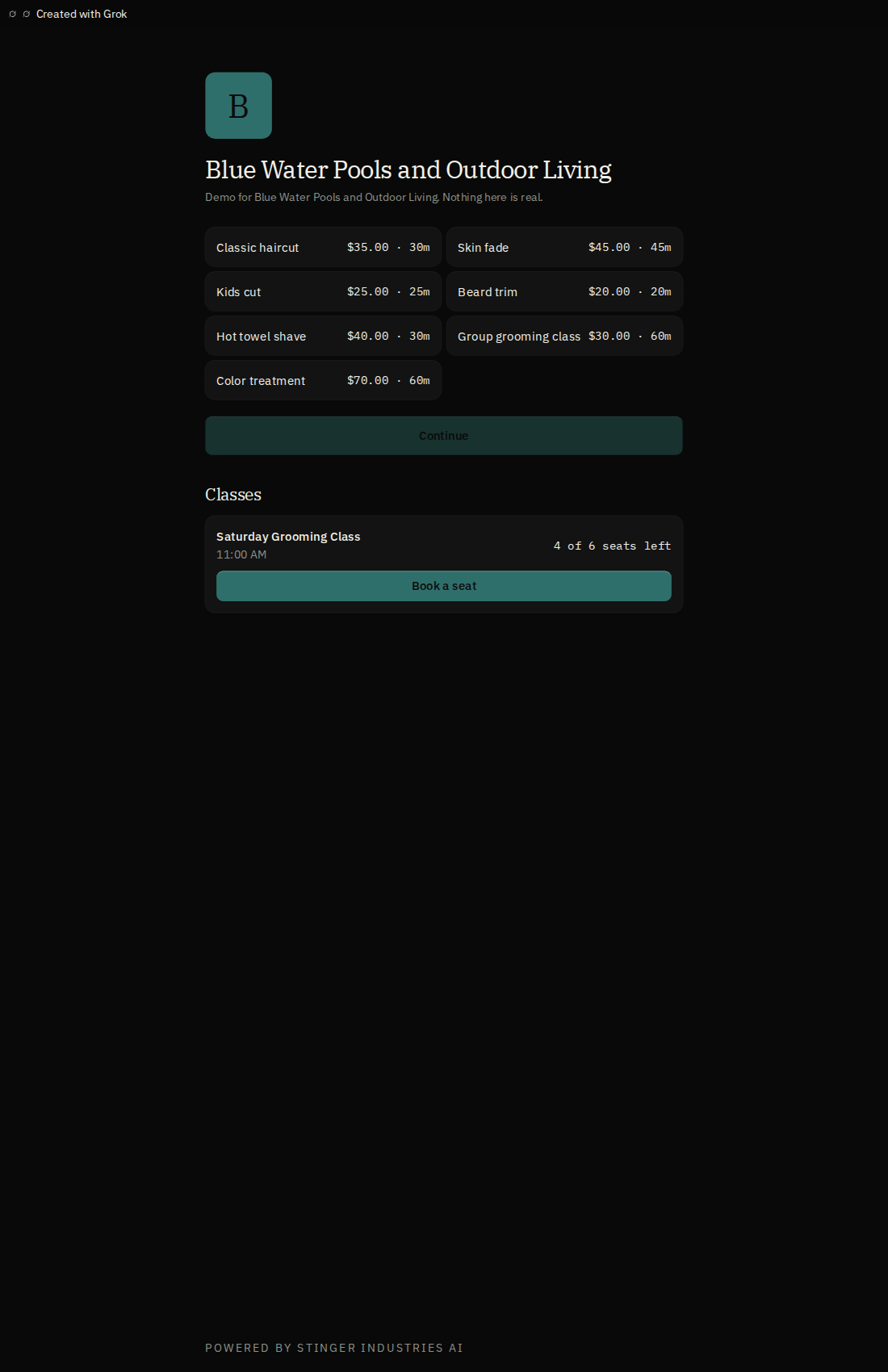
Each shop or barber shows its own name, logo, and colors to its customers on the booking page. The only Stinger mark a customer ever sees is a small "Powered by Stinger Industries".
Today
How does one shop book stay in sync across every chair?
Shared shop book
Every staff member on a shop writes to the same book on the server, not a private copy on someone's phone. Two people editing at once merge rather than one silently overwriting the other, and Today refreshes on save: the same book, not a live cursor.
Formula notes that append, never overwrite
Guard, lineup, color, allergies: notes accumulate per client instead of getting replaced, so the history survives even when the stylist changes.
Shop time, not phone time
Every clock reads off the shop's real timezone, computed from hours minus booked time minus buffers, not a slots table someone forgot to update.
Barber talk and salon talk, same shop book
Barber and salon words both map onto the same shop, staff, service, and appointment book, the same way Cage handles a bar and a trade yard.
A booking page per staff member
Alongside the shop's own link, every staff member gets their own booking page, so a client can book a specific barber or stylist directly.
A real client list, not just a name on a ticket
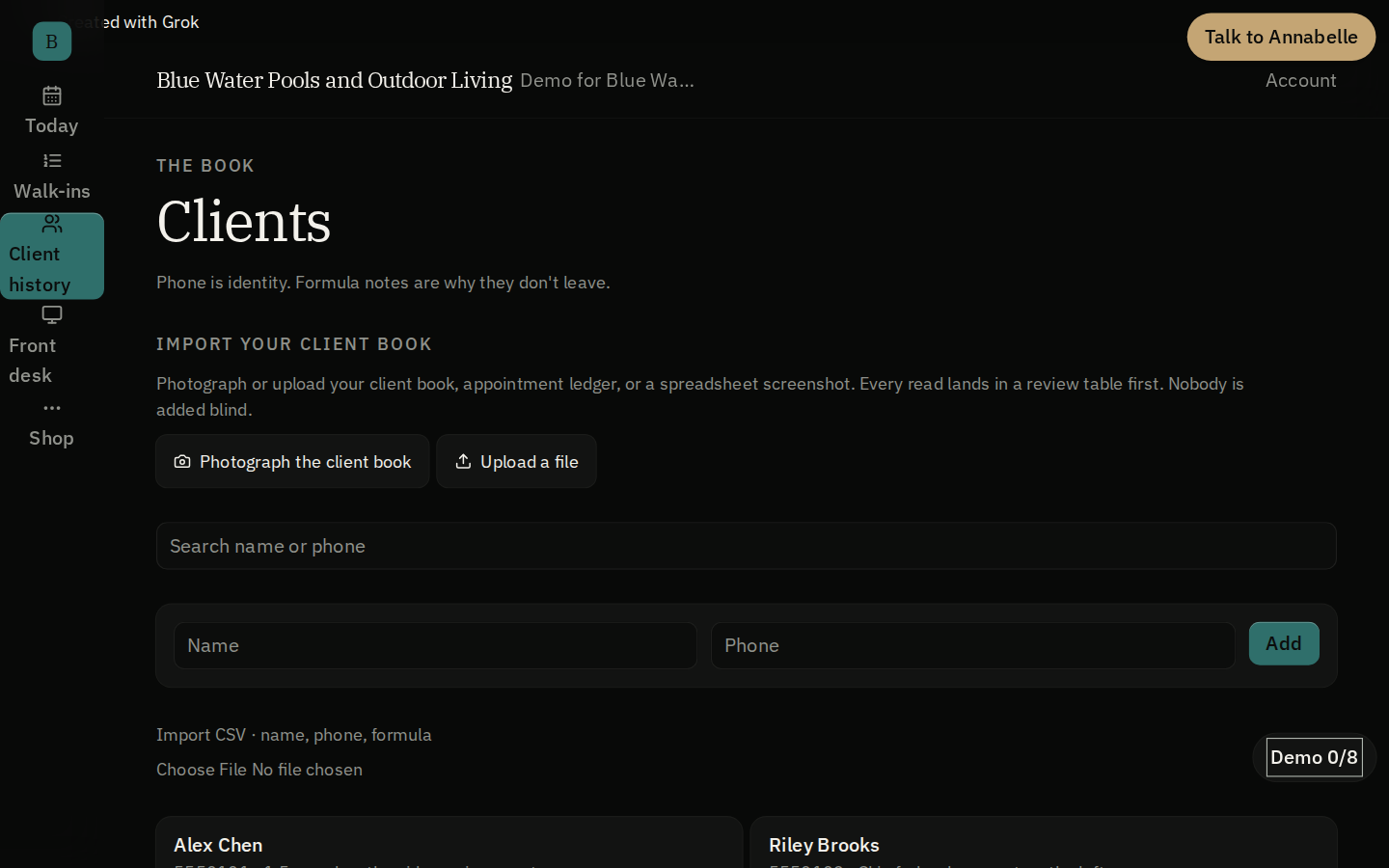
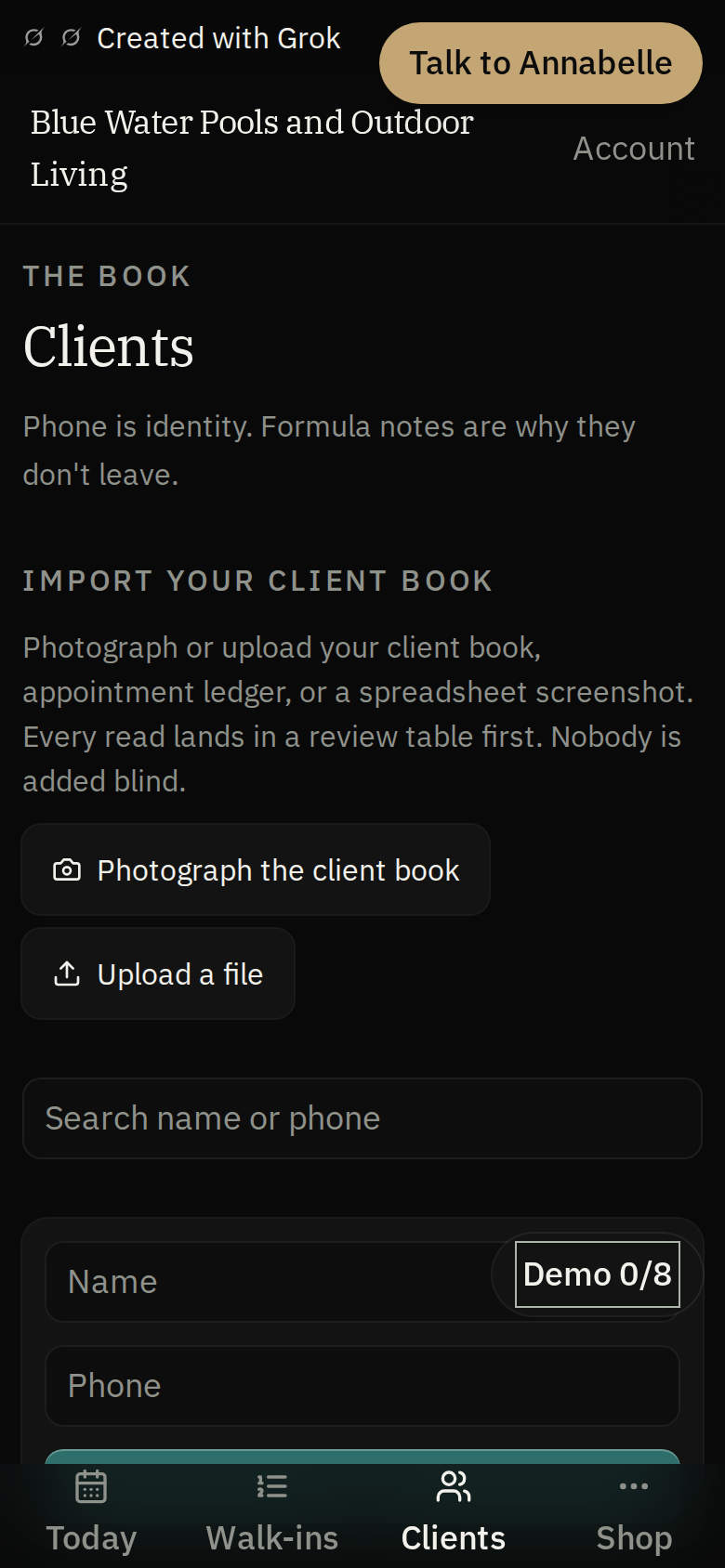
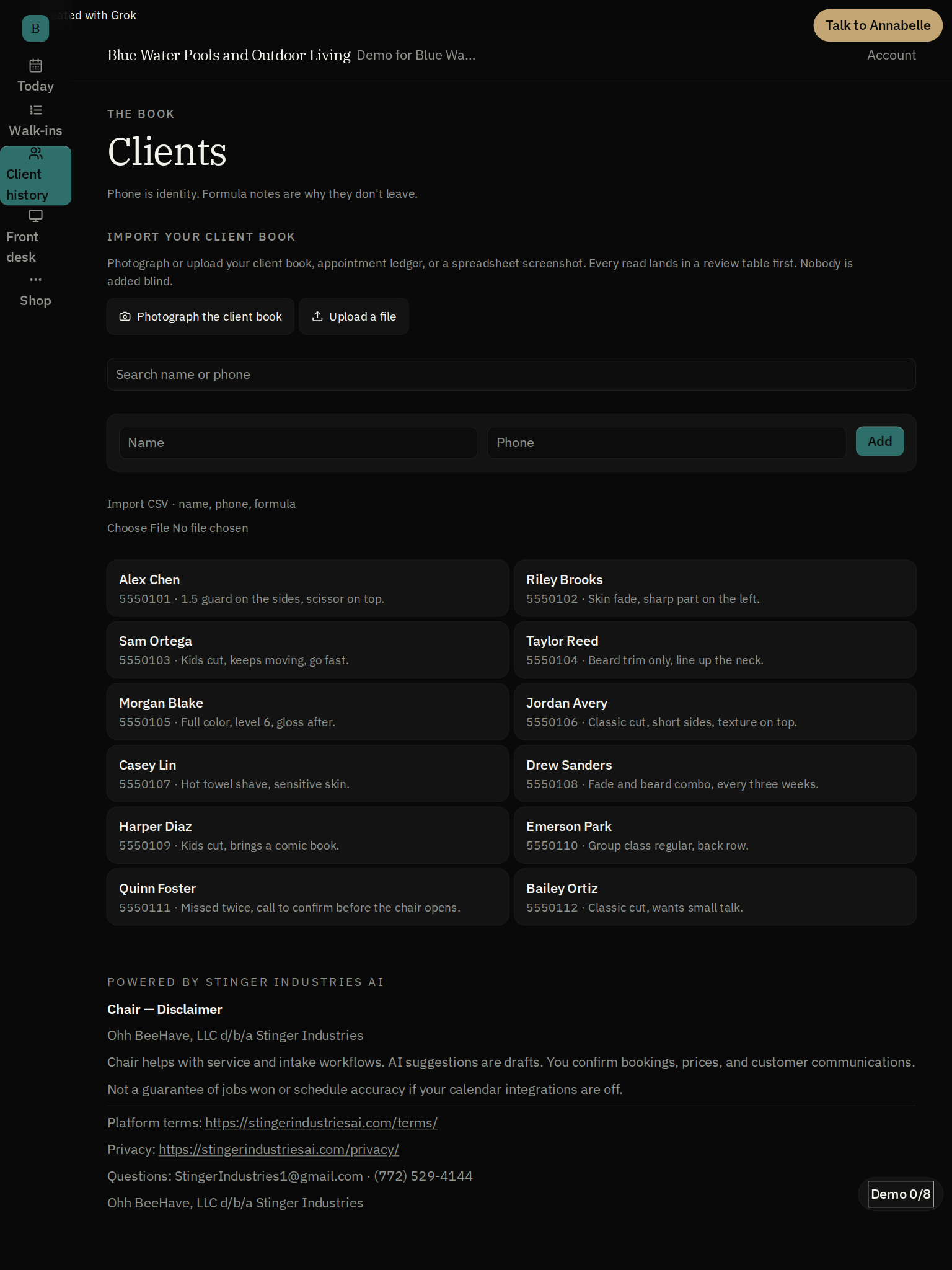
A client list screen holds every client's history and notes in one place, so the front desk can pull up a client the same way whether they walked in last week or a year ago.
A magic link for clients, no password
A client can open their own booking history from a texted or emailed link, no password to set or remember.
Shop hours, set once
A dedicated hours screen sets what the shop and each staff member is open for, and the book builds its open slots off that.
Money & identity
Does salon scheduling software have to touch your card payments?
Confirm gate on every dollar
Chair is white-label, and each shop connects its own Stripe account and Stripe link. Deposits run through the shop's own Stripe account after a typed or tapped confirm at the desk. Until the shop connects Stripe, deposits queue rather than collect. No-show fees and booth rent are recorded, not billed. Chair has no spoken money path: there's no version of "Annabelle, charge them" that actually moves a dollar.
Stamped with who was actually logged in
Every change is stamped with who was actually signed in. A name a customer typed does not count as who did the work.
Honest payouts
The shop's Stripe connection state comes from the server only. A client request can't flip it on. Until Stripe is actually connected, the till says queued, not collected.
A real Stripe onboarding, when a shop is ready
Connecting a shop's own Stripe account runs through Stripe's own guided onboarding (Stripe Connect Express), not a form Chair invented. The till stays honest about queued vs. collected until that connection is actually made.
What's real vs. what's roadmap
Honest about unconnected, not silent about it.
Your shop, your Stripe account
Chair is white-label: the customer sets up and connects their own Stripe account and Stripe link. Deposits run through that account. Cash confirms work today; until the shop connects Stripe, card payments queue and the UI shows that they have not been collected.
SMS and calendar push: not yet live
The consent checkbox exists in the UI; there's no carrier or Google Calendar connection behind it yet. That's called out directly rather than shipped as a dead toggle.
One login across Command Center: designed, not live
Chair is included with every Command Center tier. Signing in once across all the apps is designed but not yet wired. When it lands, money still needs a human confirm; neither rule gets looser.
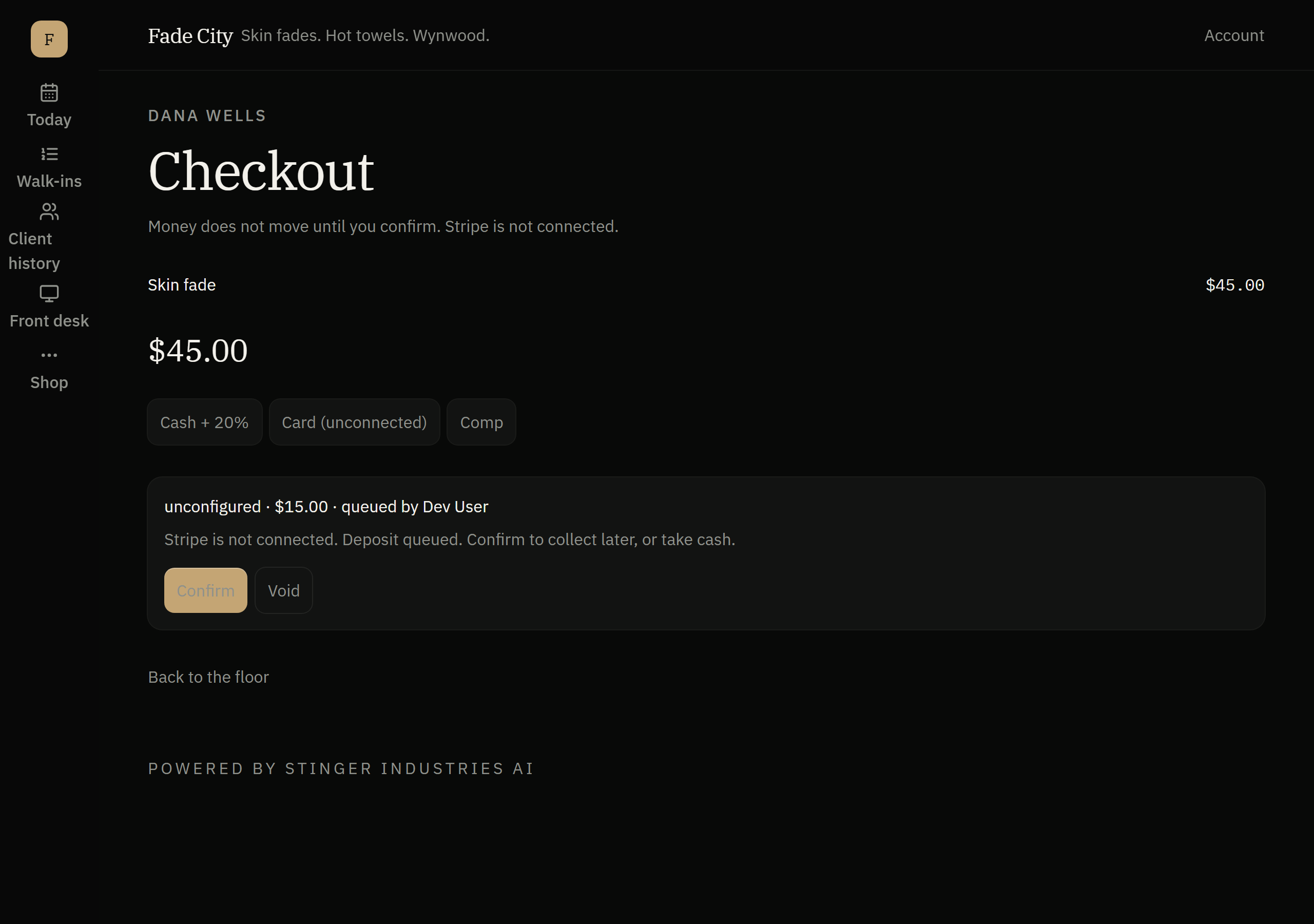
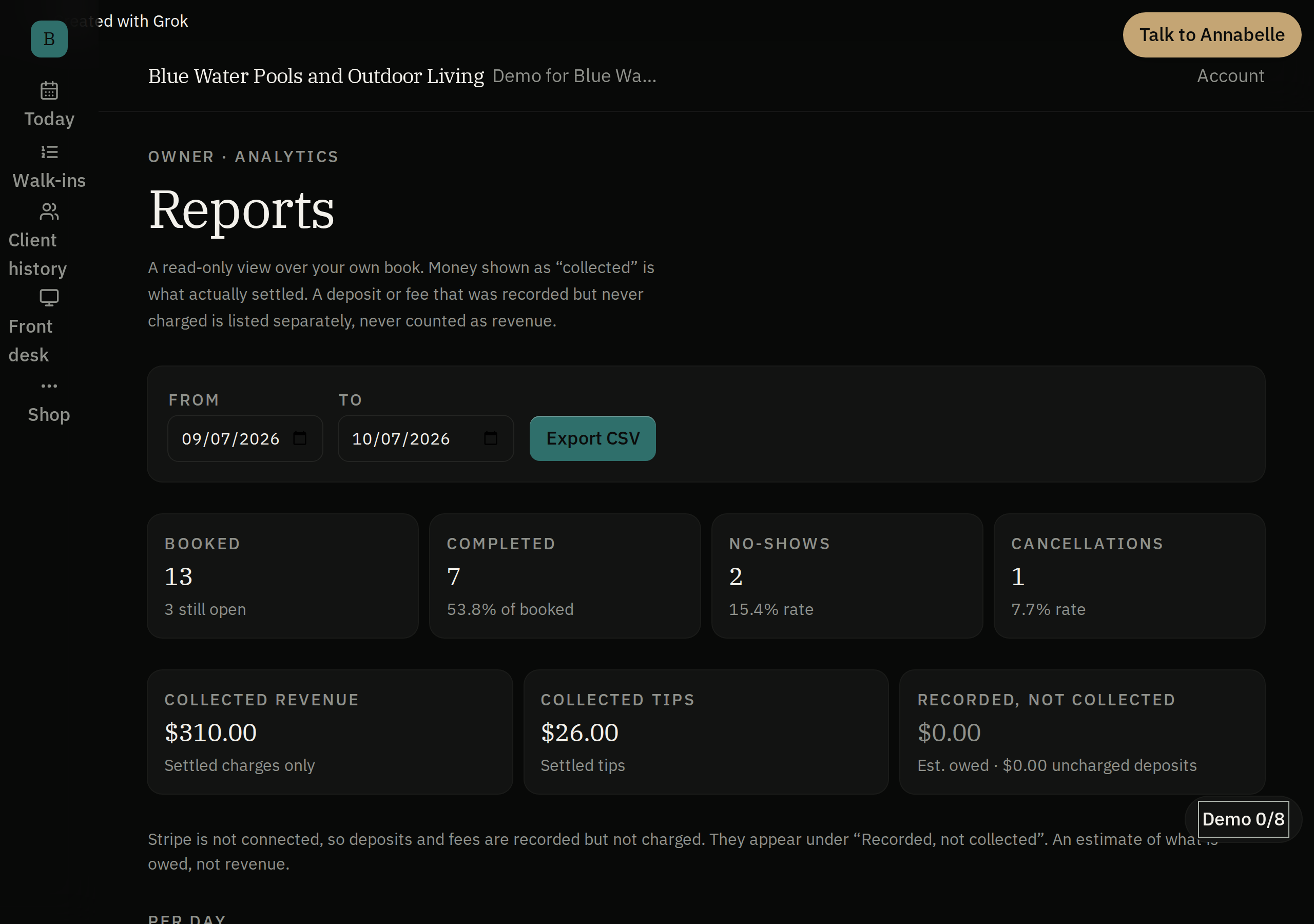
Reminders, deposits, and reports, with the money told straight
How it compares
Chair against Square Appointments, Vagaro, and Booksy.
Vagaro also has a real booth-renter product with its own booking pages and rent collection. That one's not a clean win. Chair is white-label: deposits run through the shop's own Stripe account once the customer connects it. Native SMS reminders and calendar sync are still roadmap.
| Feature | Chair | Square Appointments | Vagaro | Booksy |
|---|---|---|---|---|
| A named, structured walk-in queue built into the daily schedule (not just an appointment waitlist) | Yes | Has a waitlist; not shown as a floor turn-queue | Unclear: "customer waitlist options" listed, not distinguished from a walk-in queue | Not stated |
| Independent booth/chair renters get their own booking page and rent tracking | yes: tracked, not collected | Not stated | yes: dedicated booth-renter product with individual booking pages and automated rent/fee collection | Not stated |
| Native built-in payment processing (can actually charge a card) | Deposits through your own Stripe account; connect your Stripe during shop setup | Yes | yes: Vagaro Merchant Services | Yes |
| Clients can book with no app required, via a shareable link | Yes | yes: booking website, Book Now button, QR code | Yes: publishes a Vagaro booking link/page | Yes: publishes a Booksy booking link/page |
| Client notes/preferences persist and accumulate across visits | Yes | Not stated | Partial: "client tracking" and SOAP notes listed, accumulation scope not stated | Not stated |
| Native SMS appointment reminders working today | roadmap: consent checkbox exists in the UI, no carrier connected yet | yes: automatic text and email reminders | yes: SMS appointment reminder texts | yes: free SMS confirmations/reminders included |
| Monthly cost, single location | Included with every Command Center tier, no per-seat charges | Free tier exists; Plus $49/mo, Premium $149/mo per location | $30/mo introductory (6 months), $23.99/mo ongoing, +$10/calendar up to 7 (corrected 2026-09-21: the 3 Sep read had intro and ongoing reversed) | $29.99/mo + tax, +$20/mo per additional team member |
| Native calendar sync (e.g. Google Calendar) for staff | roadmap: designed, not yet wired | yes: Google Calendar sync on Plus | Not stated | Not stated |
Competitor figures pulled from each vendor's own pricing/feature pages, 2026-09-03. Chair features drawn from what's live today per this page and the internal capability catalog.
Works with the internet off
Your schedule keeps working if the internet drops.
Chair's scheduling and workforce screens work fully offline.
In House
How Chair runs inside House.
In House, Chair is the floor desk: restaurant, room service, banquets, bar, staff kitchen, guests and food money in each room, one screen. House opens from Command Center.
Get started
Part of the platform, on one login.
Chair is included with every Command Center tier, the same shop booking system as part of the platform: no second product, no second subscription, no second login to manage later.
Related: see Chair alongside Stinger Command Center or browse the full Stinger platform.
On your phone and tablet
Setting up the shop
Services, staff and bringing your client list over.
Service setup
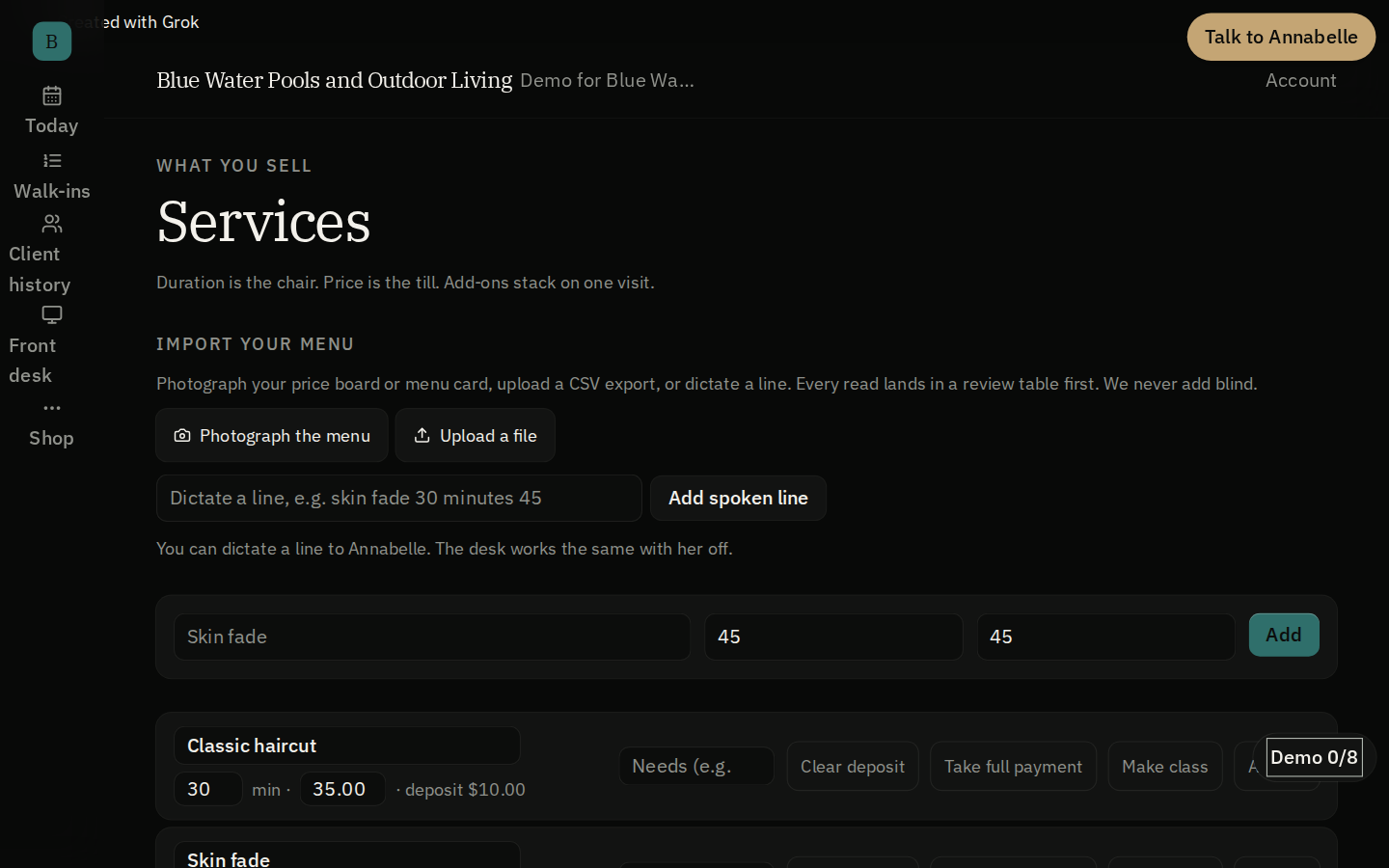
Set each service's time, price, deposit and buffers, and reserve a room, chair or piece of equipment for services that need one.
Staff setup
Add staff with hours and whether they can be booked, singly or in bulk.
Bringing a client list over
Bring over a client list from another system, check it first, and match clients by phone.
Staff roles and safe saves
Invite staff and set their roles, with an owner always kept; two people booking at once do not overwrite each other.
Booking and the calendar
Past a single appointment.
Multi-service bookings
Book several services in one visit; overlapping appointments are blocked and a needed resource must be free.
Recurring appointment series
Book a repeating appointment as a series and cancel the later ones in one step; a series expands to a limited number of visits.
Client self-service
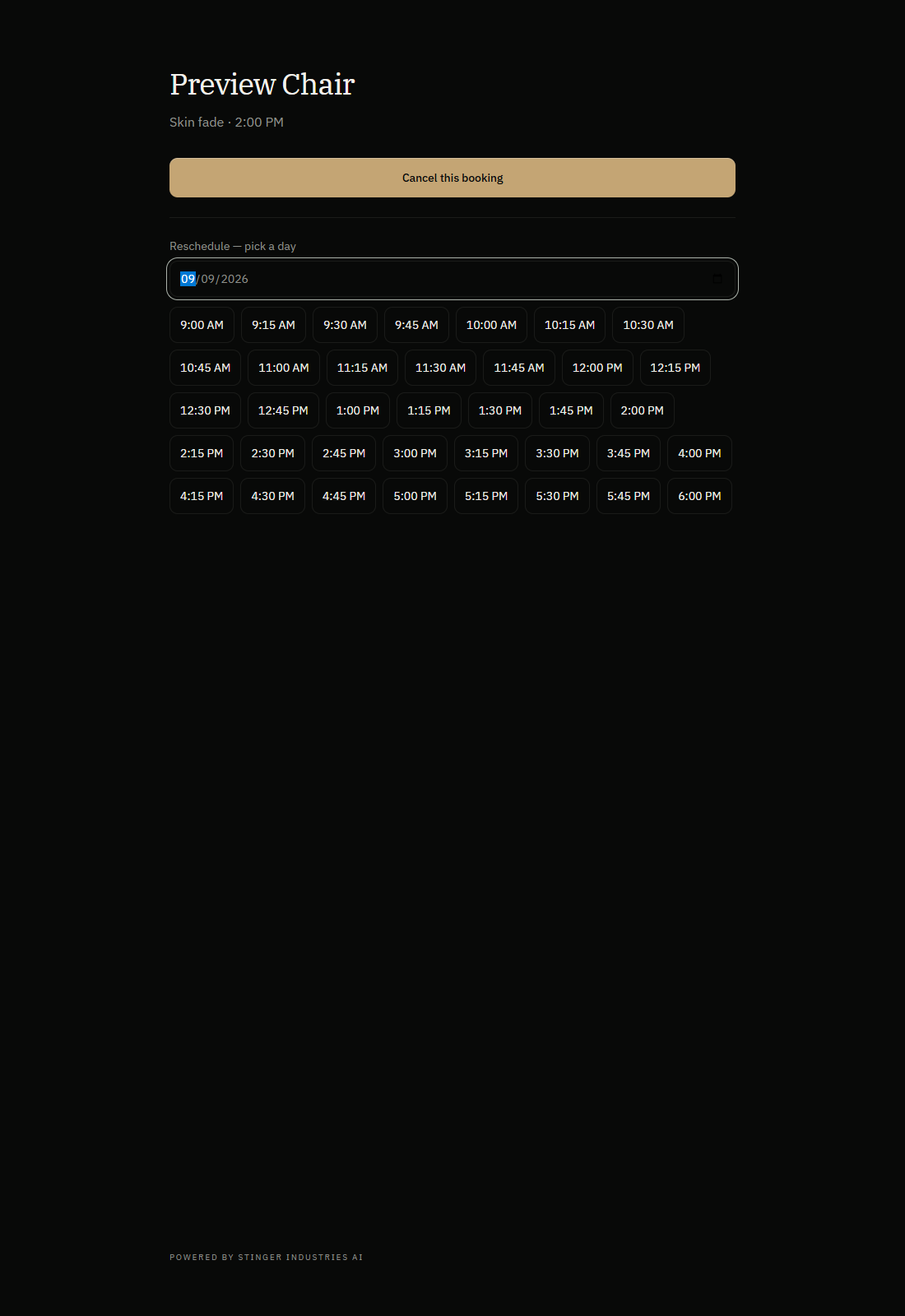
Clients cancel or reschedule from a private link within your policy; fees are worked out but not charged automatically.
Group classes
Offer classes with a set number of seats, show how many remain, and book attendees; the roster lists who is coming.
Waitlist
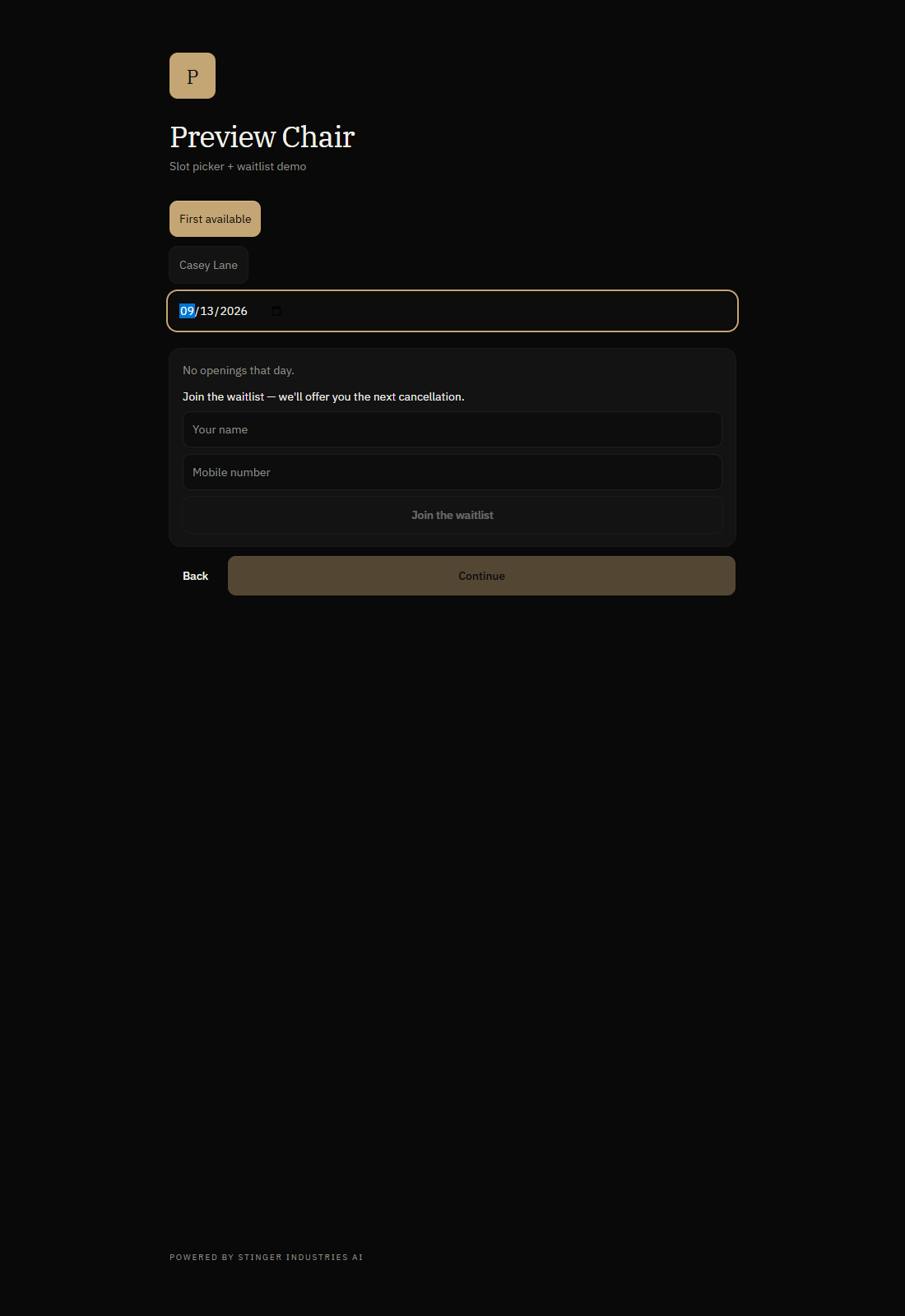
Clients can join a waitlist, and a cancelled slot goes to the next one who fits.
Money, messages and reports
What's built, and what it needs to switch on.
Deposit checkout
A deposit checkout can run through the shop's own Stripe account once connected; it counts as paid only after Stripe confirms.
Product sales
List retail products and let clients buy them from the shop's booking page.
Confirmations and reminders
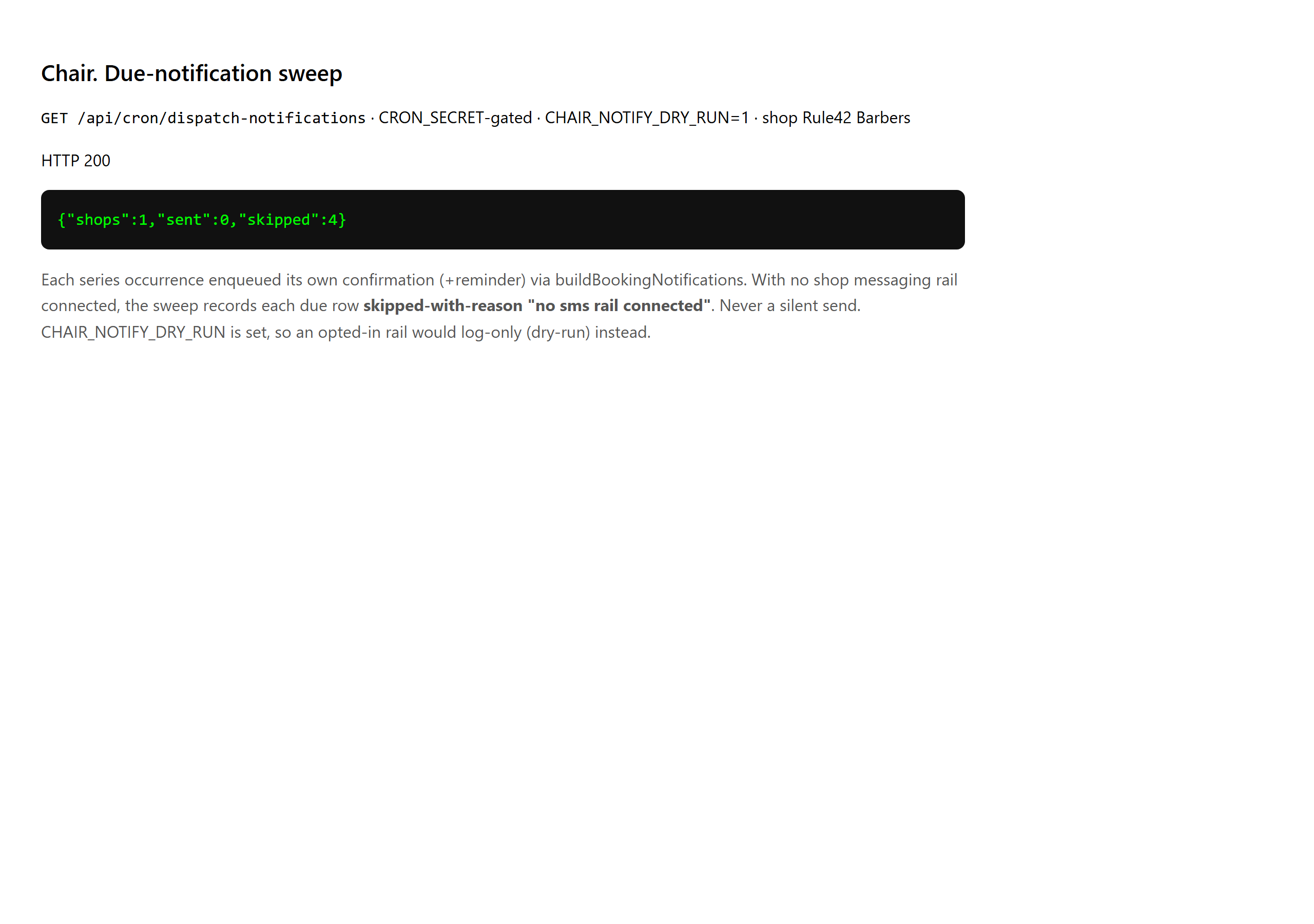
Confirmations and reminders go out through the channels you connect; until then they are not sent.
Reports
Read completed, no-show and cancelled bookings, staff utilization and daily activity; only confirmed payments count as collected.
Menu photo intake
Photograph a price menu and Chair drafts the services for you to review; this needs AI consent and a budget.
On your machine
Get it on your desk
One click from the browser
Install it as an app
Install it straight from the browser in one click. It gets its own icon on your desktop and taskbar, and opens in its own window.
- Chrome / Edge the Install icon in the address bar, or menu > Install (Apps > Install this site as an app).
- Safari (Mac) File > Add to Dock.
- Safari (iOS) Share > Add to Home Screen.
Android
Google Play
On Google Play, in review.
iOS
TestFlight
Via TestFlight, pending.
No app to install to see it, ask Vincent for the demo.