
ANNABELLE'S COGNITION PAGE
The flow of information, the learning loop, and voice.
This page shows how Annabelle turns what you say into work done, learns what you teach her once you approve it, and tells the people in a meeting apart. It shows how your plain words become a changed record, how she learns what you teach her with your approval, and how she tells who is speaking. Written in plain words, honest about what is live and how each piece is gated.
Included with every Command Center tier.
Section 1
The flow of information
One straight line, from the words you say to the record that changes. Every step is shown on the graph so you can see how the work was routed and why.
The step-by-step record on the graph
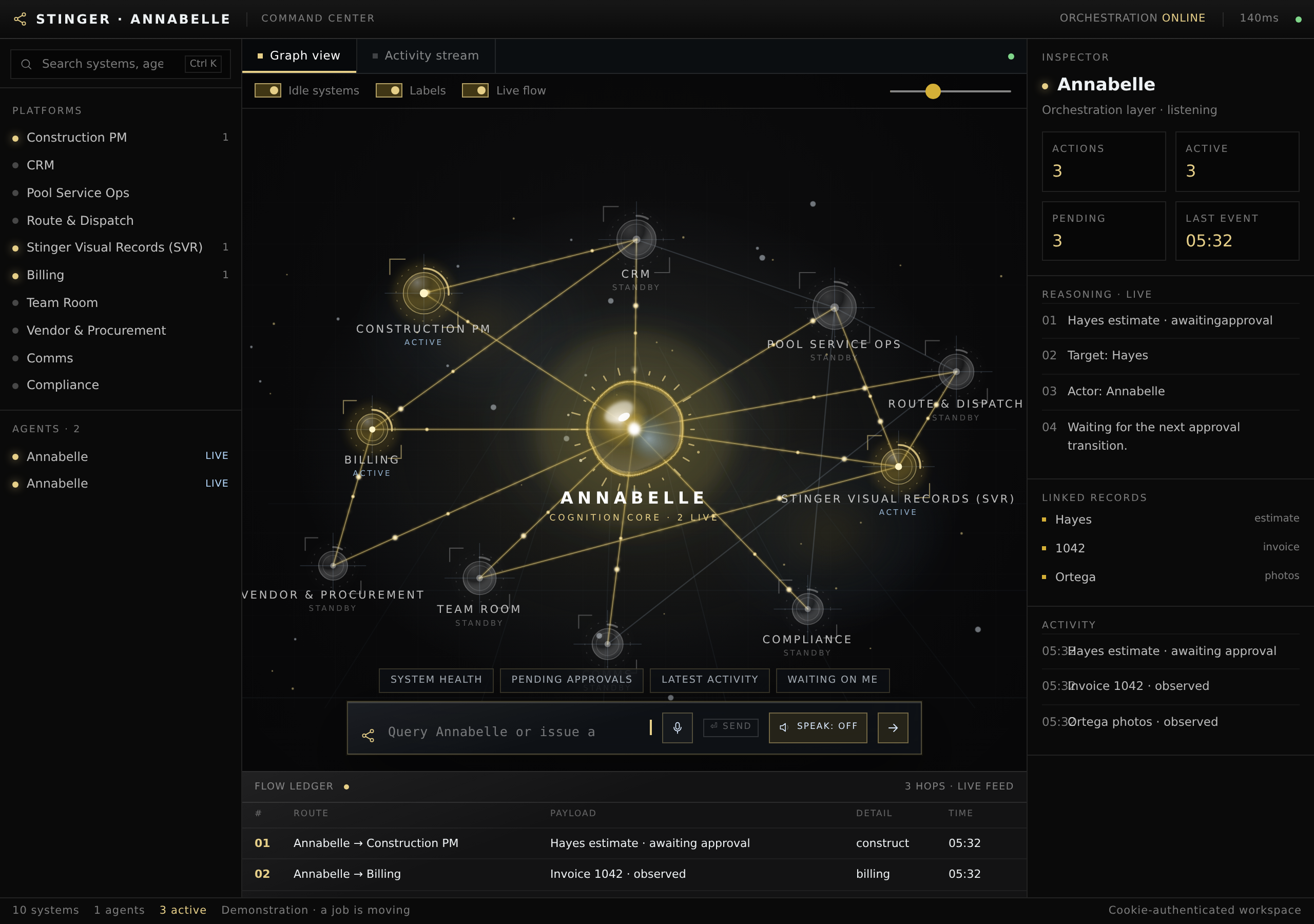
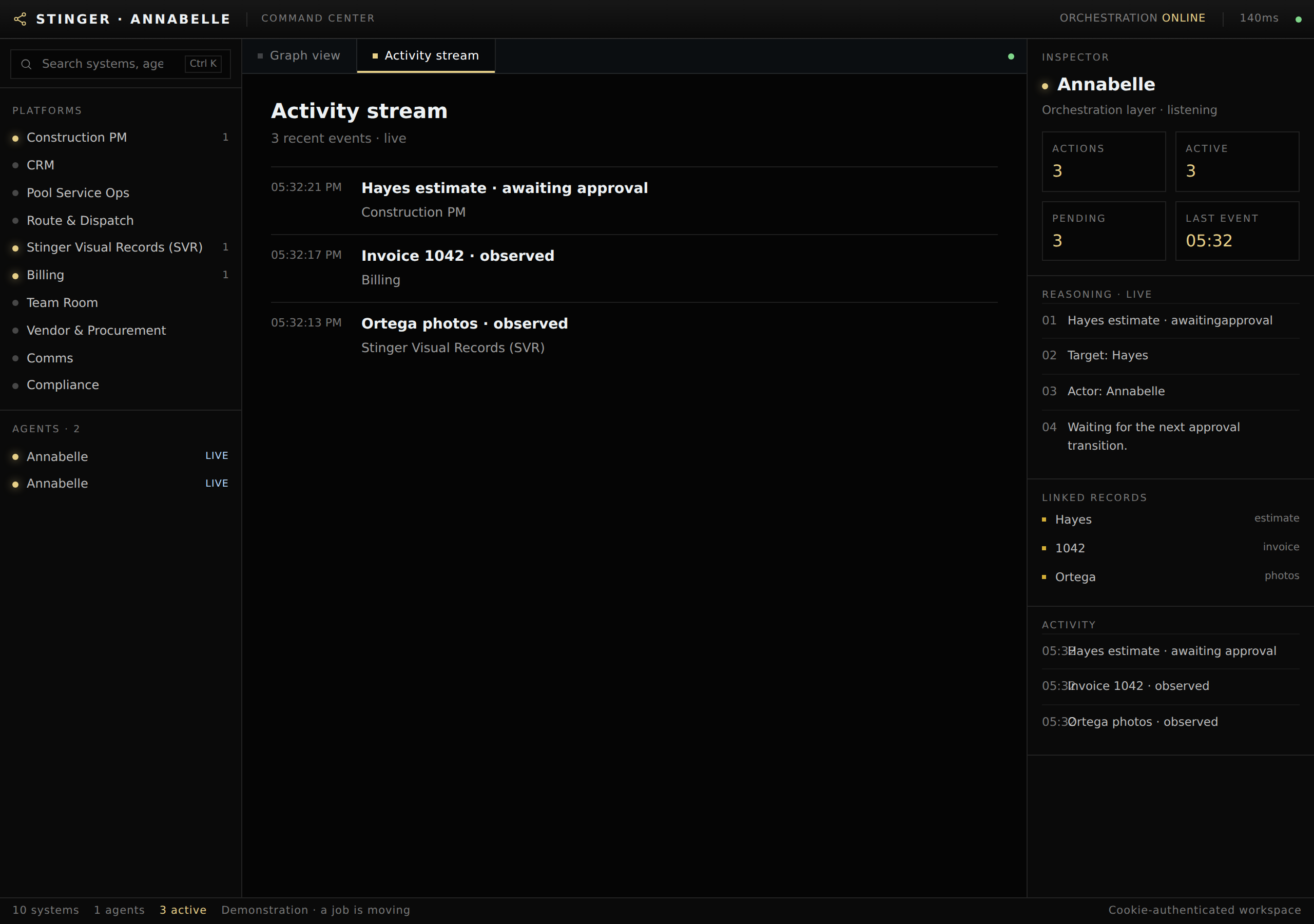
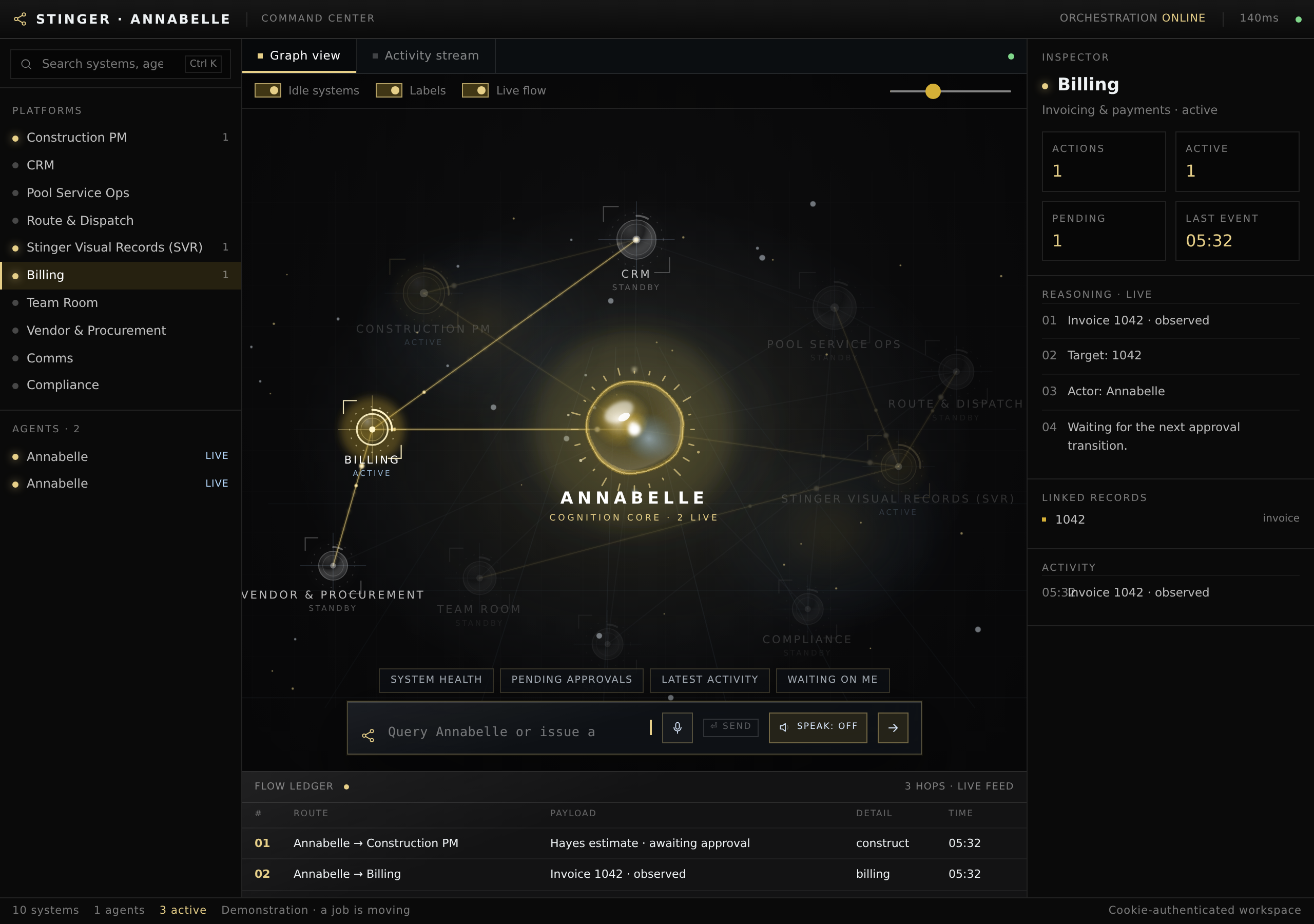
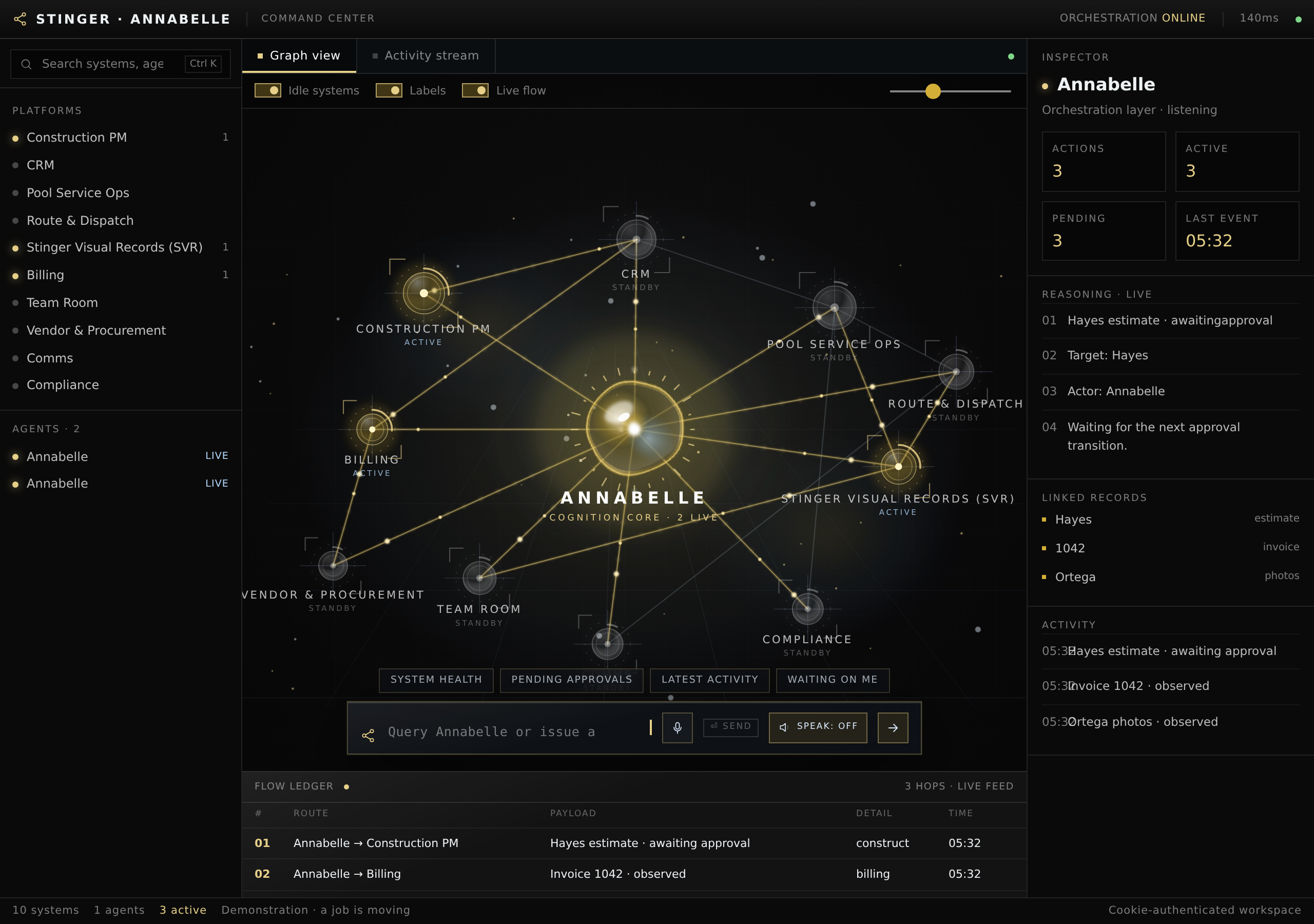
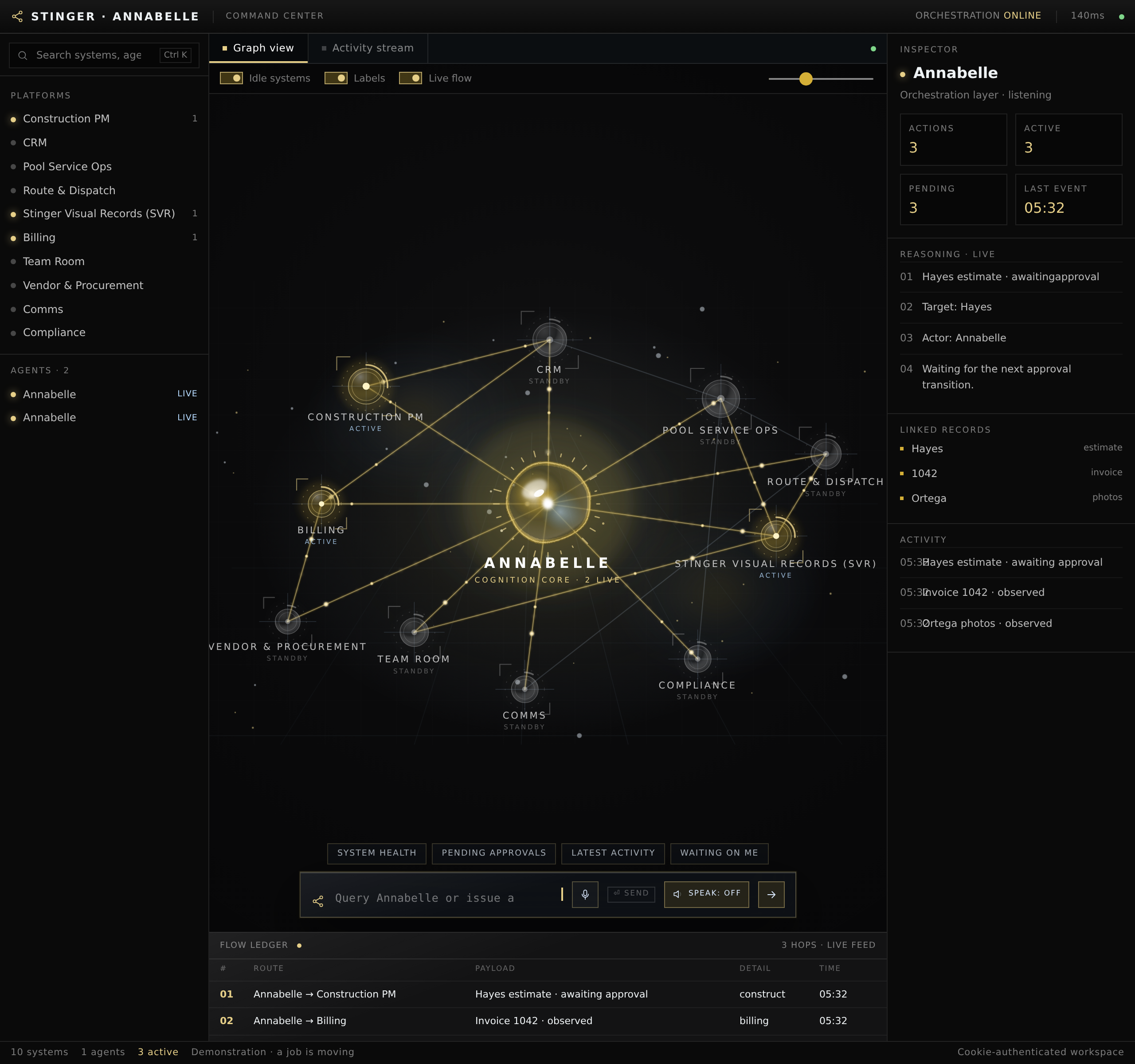
These are the real screens. The live-reasoning counters read zero because no command was issued in this capture.
Section 2
The learning loop
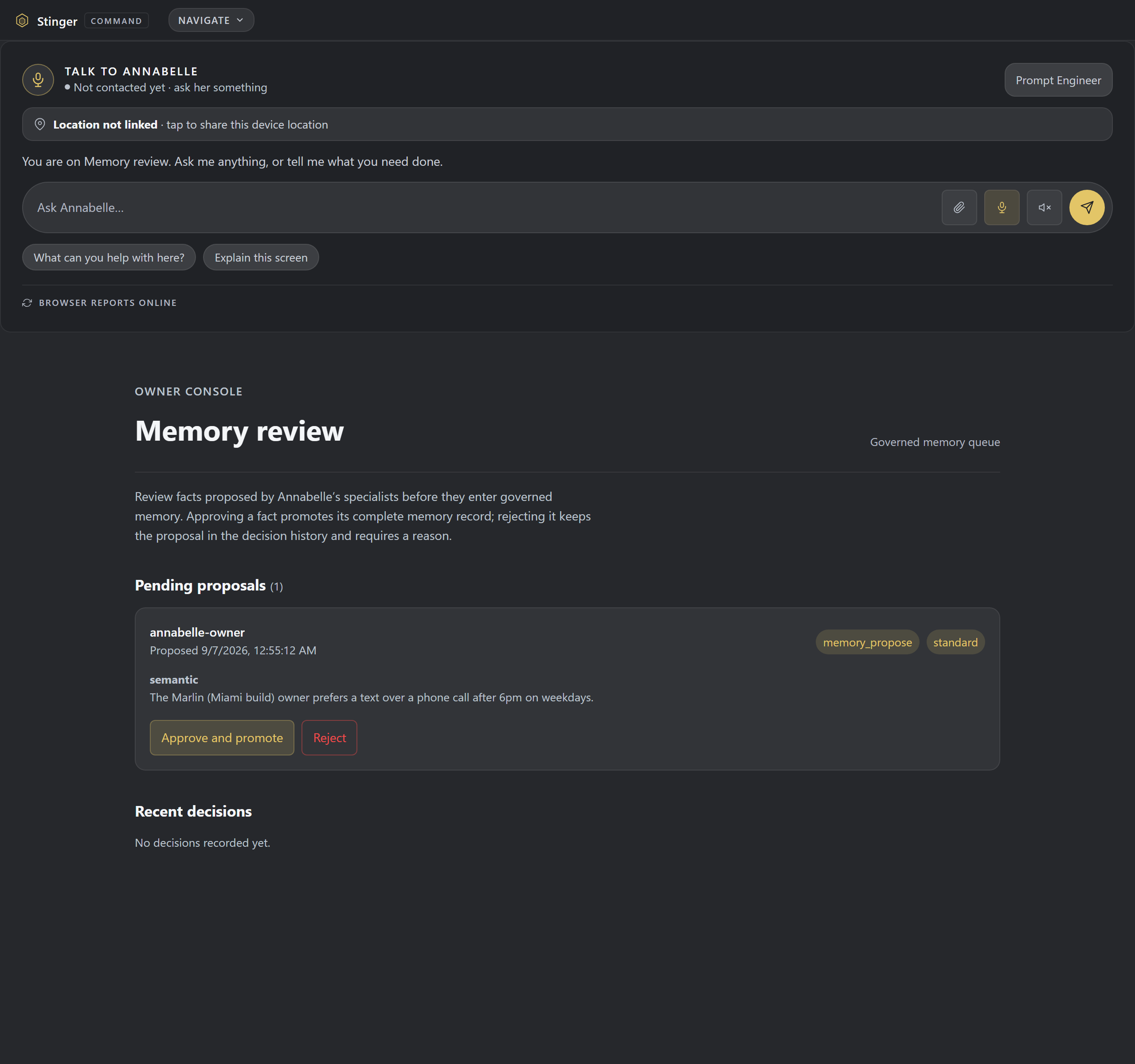
Annabelle learns from what you tell her, and nothing durable is remembered without your say-so. This is built and running today.
She says what she learned
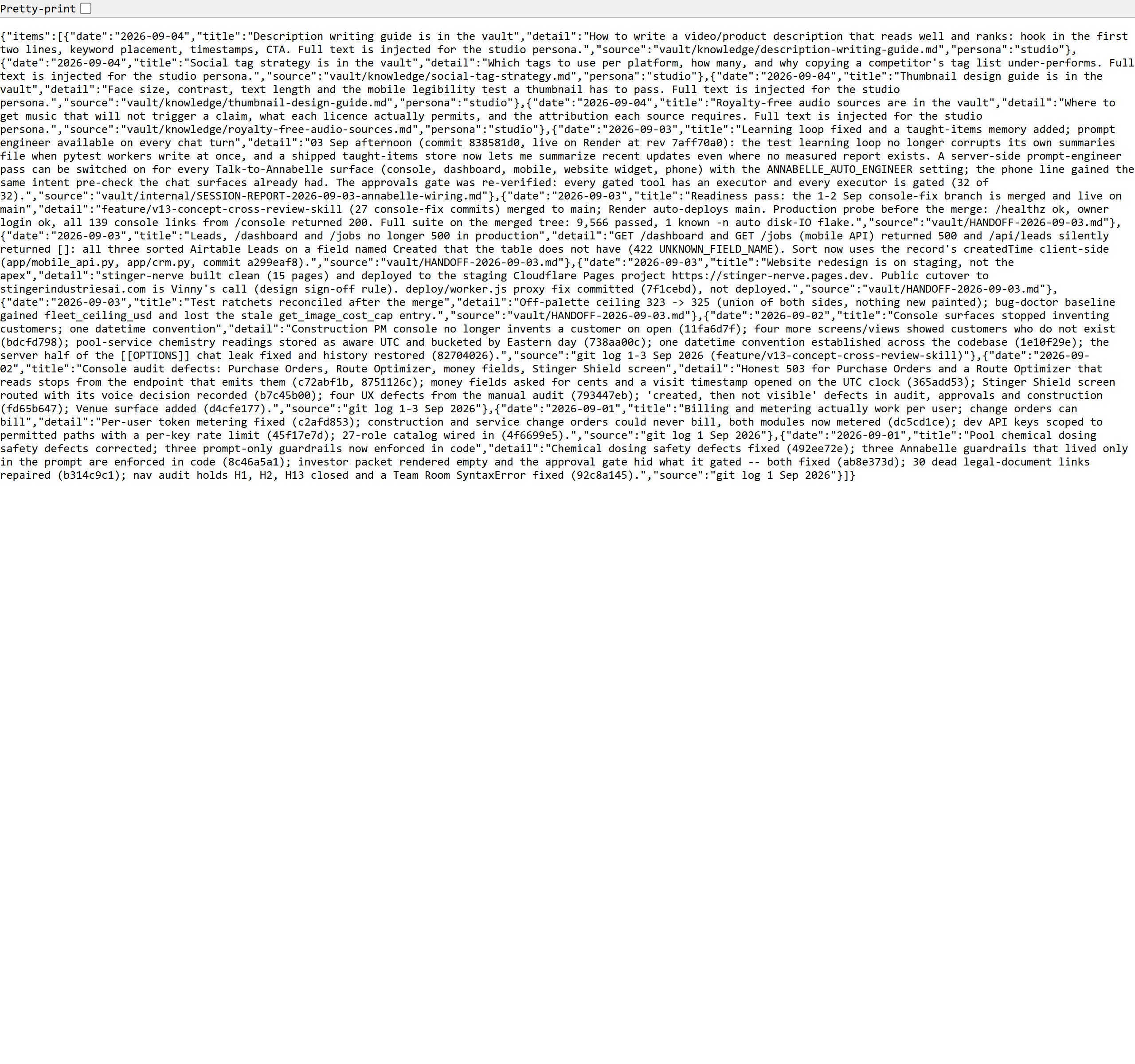
When Annabelle learns something, she says so, and the taught item lands in a learned-items list you can read back. You always know what she picked up and when.
You approve what she keeps
Durable facts do not go straight into memory. They arrive as proposals on an owner memory-review screen, where you approve or reject each one. Memory only grows when you say yes.
Memory stays yours
Model memory is kept per business, walled off to yours alone, and the models never write it themselves. What is remembered about your shop stays with your shop.
"You already told me"
When it is relevant, Annabelle shows you your own past instructions back, so you can see what you told her before instead of repeating yourself.
Section 3
Voice and speech
Annabelle can tell who is speaking, say names the right way, and answer the phone. Most of all of it is live; the tone read runs inside Live Call Assist, which opens to customers after the consent sign-off, and we mark each one plainly. Each links to its own page.
Voice prints
Voice-print recognition identifies who is speaking from the sound of the voice. Built and running.
Speaker patterns
Text-style speaker patterns recognize how each person tends to write, backing up the voice prints. Built and running.
Speaker separation
In a meeting, she tells the people apart, in the room or on a phone bridge, so you know who said what. Built on ElevenLabs Scribe. Live in every account.
Spoken-name fixes
Spoken-form fixes make sure names and terms are said the right way out loud, not spelled out or mangled. Built and running.
Phone voice
Phone voice answering lets Annabelle pick up and speak with a caller. Built and running.
Stress reading
Reads the caller's tone: pace, pitch, and pauses, into one hesitation score on the screen mid-call, live inside Live Call Assist. That assist opens to customers after the consent sign-off.
Get started
Want to see it on your own work?
Talk to Vincent about where the Cognition Page fits your rollout, or see what is already shipped across the rest of the lineup.
Related
Part of the same AI-tooling lineup.
The Cognition Page works the same way Annabelle does everywhere else, and it shares its AI-tooling neighborhood with Teams and Forge.
Section 4
The work map
A map you can search and click into
Cognition draws Annabelle's work as a map you can search, zoom and click into; the current build shows sample records, not live activity.
On your machine
Get it on your desk
One click from the browser
Install it as an app
Install it straight from the browser in one click. It gets its own icon on your desktop and taskbar, and opens in its own window.
- Chrome / Edge the Install icon in the address bar, or menu > Install (Apps > Install this site as an app).
- Safari (Mac) File > Add to Dock.
- Safari (iOS) Share > Add to Home Screen.
Android
Google Play
On Google Play, in review.
iOS
TestFlight
Via TestFlight, pending.
No app to install to see it, ask Vincent for the demo.