
INTEGRATIONS & ADD-ONS
Keep the tools you already run. Switch when you are ready.
Connectors to the calendars, books, payments, and field tools you already run, no extra glue app to babysit, and a status screen that says which ones actually answered rather than which ones have a key sitting in a box. Included with every Command Center tier.
Hands and eyes
Your software stays. Annabelle works it for you.
Annabelle can open the software you already use in her own browser, a real one that she drives herself. Her eyes read what is on the screen, and her hands click and type the way a person at your desk would. Your screen shows the live browser while she works. Each browser job starts on a fresh page.
Give us API access from your account and we build the connection natively, so the two programs share information directly.
See it in action
Connection health
How do you know which integrations are actually connected?
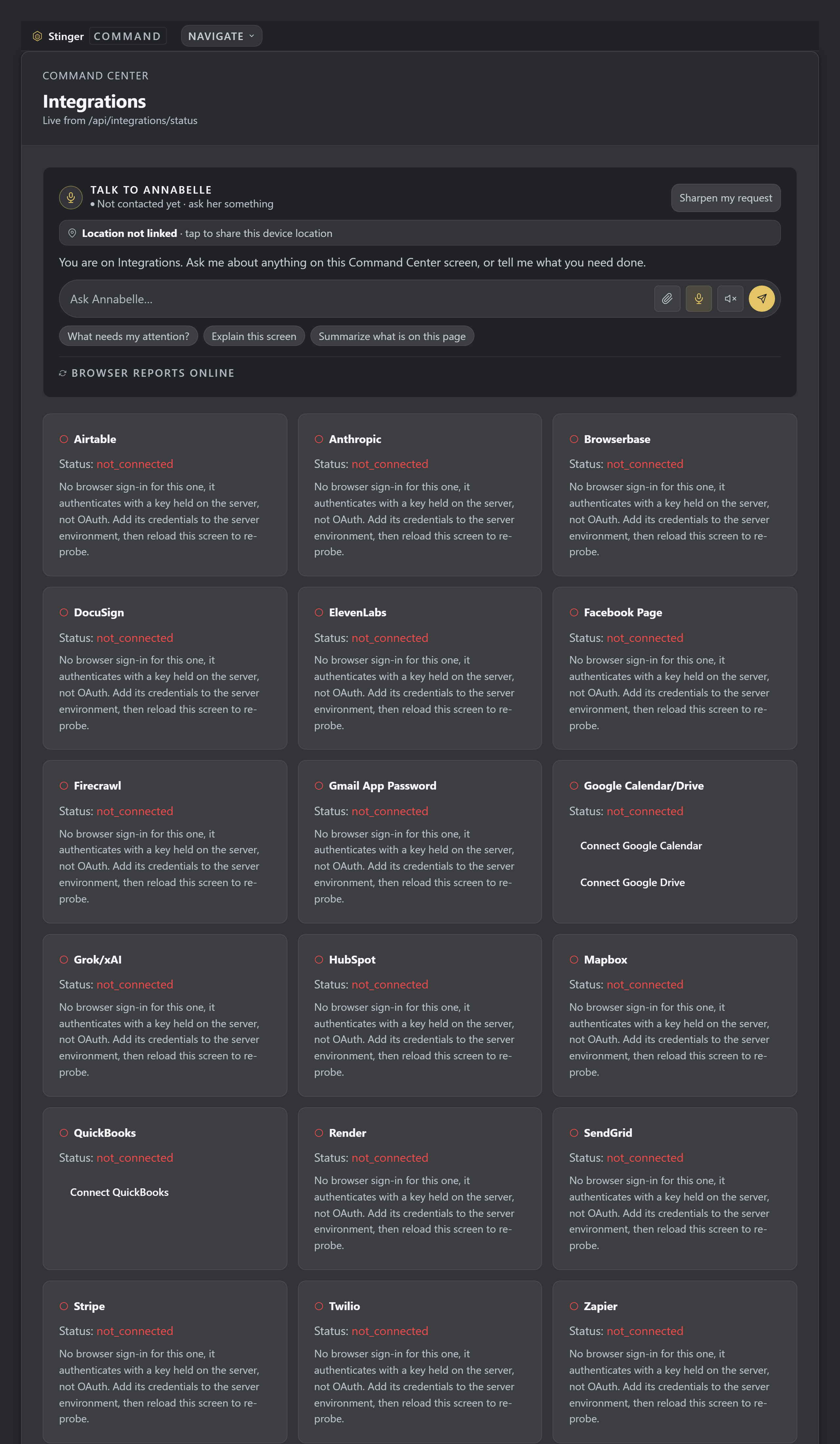
A real status read on this account, where most connections are not set up yet and the screen says so for each one. Check each connector before starting a linked workflow, using its displayed state to identify setup still needed.
Native connectors
Which business tools does Stinger integrate with?
| Integration | What it connects | How | What flows each way | State today |
|---|---|---|---|---|
| Airtable | The primary data store | Native | In and out: every table | Live |
| Stripe | Billing and checkout | Native | In: sessions and webhooks. Out: subscriptions | Live |
| QuickBooks Online | Accounting | Native | In: invoices and customers. Out: queued pushes | Wired: a queue holds writes through an outage |
| HubSpot | CRM | Native | In: contacts and deals. Out: contacts | Live: verified 6 Sep |
| DocuSign | E-signature | Native | In: signing status. Out: documents to sign | Wired |
| Lightspeed Retail X | Retail point of sale | Native | In: sales and products | Wired |
| Twilio | SMS and voice | Native | In: inbound webhooks. Out: messages | Live |
| Google Drive | File storage | Native, OAuth | In: Drive files | Wired |
| Dropbox | File storage | Native, OAuth | In: files | Wired |
| ElevenLabs | Voice synthesis | Native | Out: audio | Live |
| OpenAI | AI models | Native | Out: completions and images | Live |
| xAI (Grok) | AI models | Native | Out: completions and vision | Live |
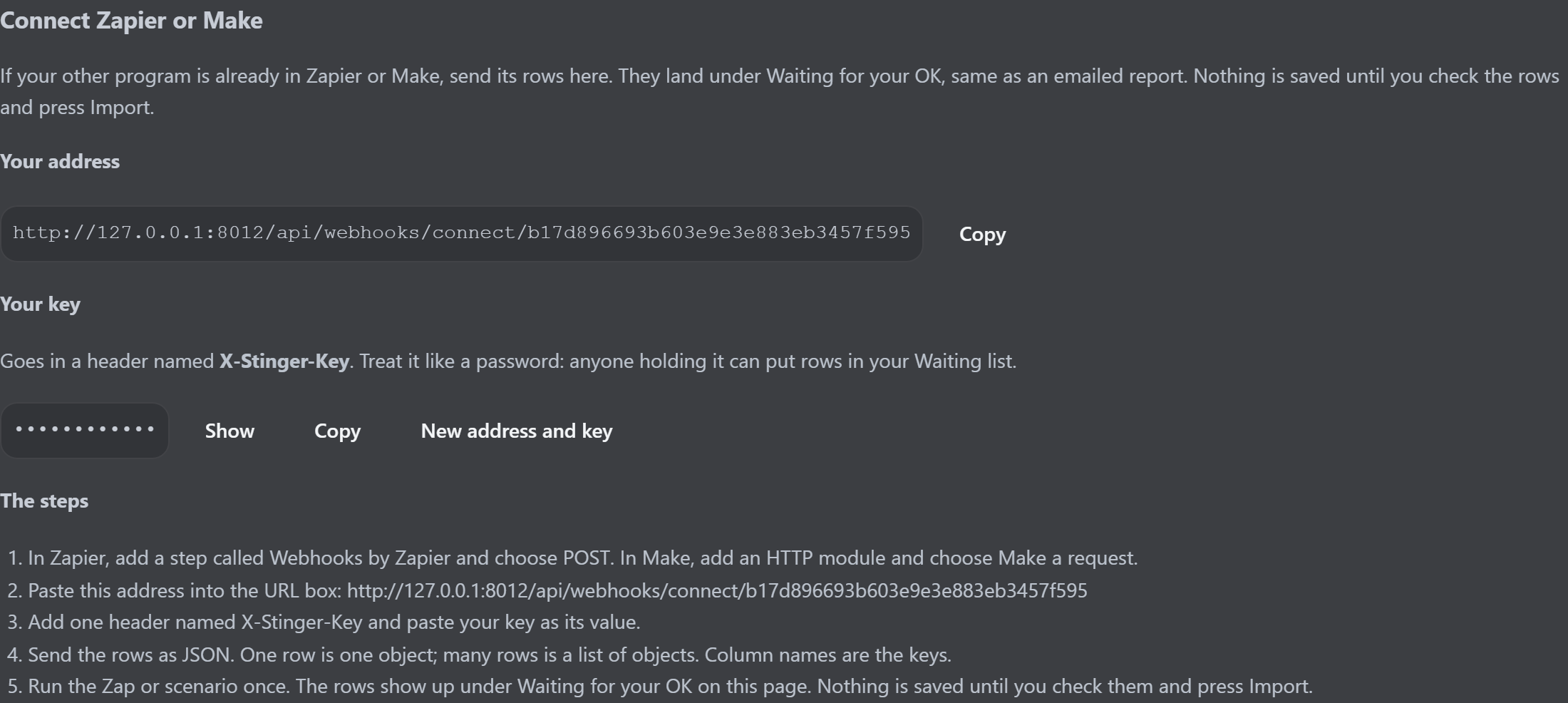
| Zapier | Outbound webhook bridge | Native, outbound | Out: posts to your own hook | Live |
| Mapbox | Mapping | Native | In: map tiles | Wired |
| Buildertrend | Construction management | In: emailed CSV. Out: jobs | Live: no public API, so an emailed CSV bridge |
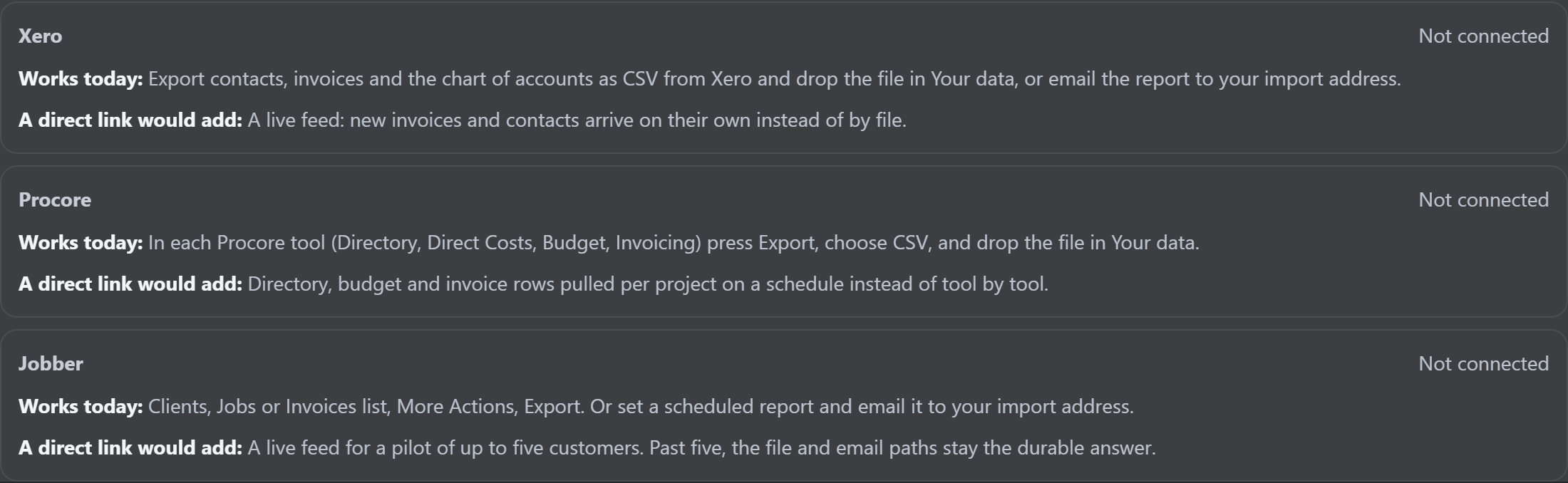
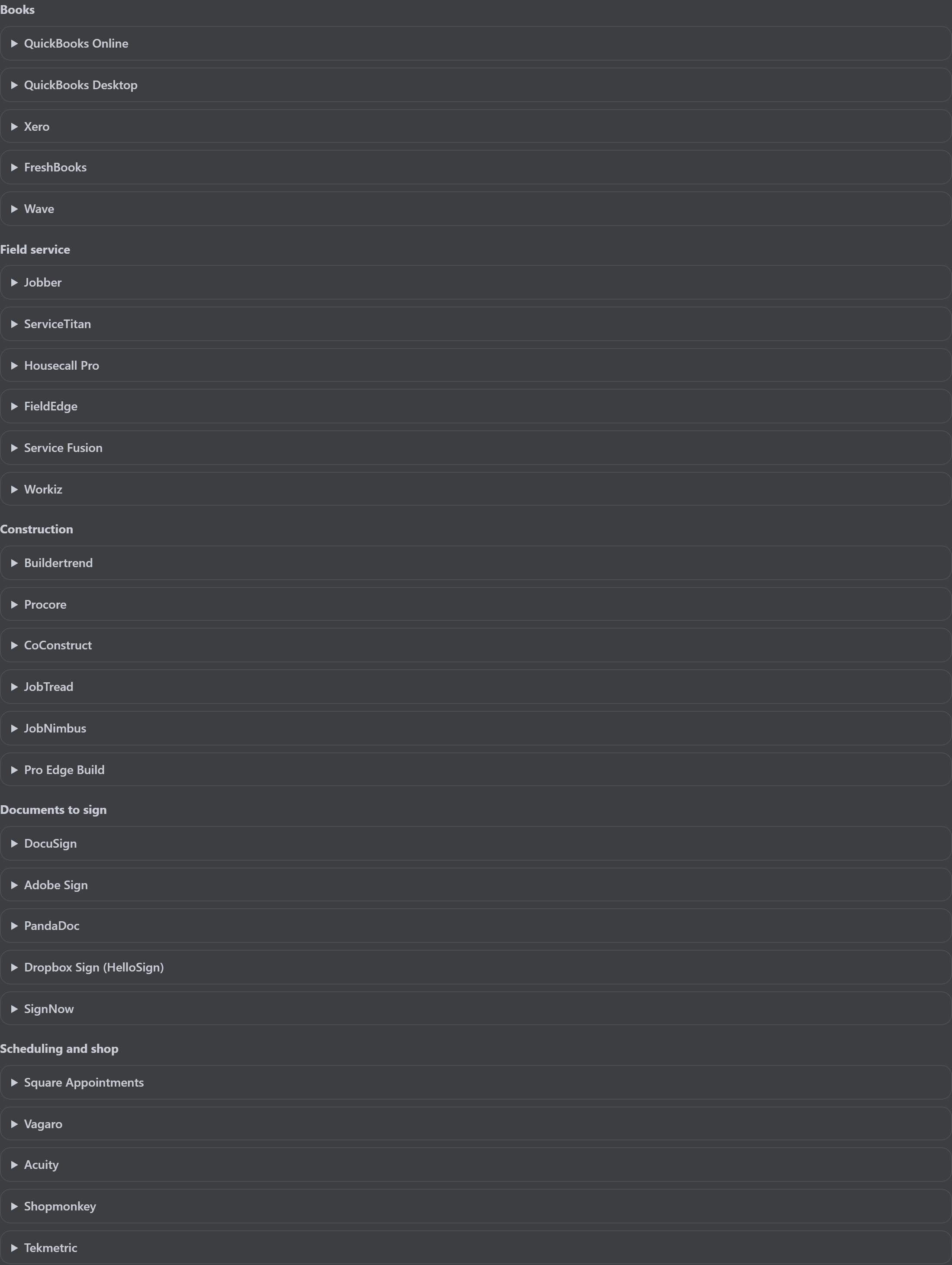
Tools not listed above (books, field service, inventory, e-signature and the rest) come in by file import or a per-account email address through one shared importer, rather than a connector written per vendor. That import path is documented in our own records.
Connection health
Three different questions, and the screen tells you which one it asked.
Reached
For the providers that support it, the check is a real request to the vendor with a four-and-a-half-second budget (Stripe's balance, HubSpot's contacts, ElevenLabs' voices). That is the only check that proves a connection works.
Token present
For an OAuth provider, the status screen reads what's stored locally. It does not need to call the vendor to tell you whether a token exists, and it doesn't claim more than that.
Key saved
For the rest, the check is only that a credential exists. A saved key is not a working connection, and the status screen labels it that way instead of coloring it green and hoping.
"Unknown" is a real answer
If a stored credential can't be read or parsed, the status is unknown with a sentence explaining why: not "connected," and not "disconnected." A screen that claims connected when it isn't is worse than one that admits it doesn't know.
Details that come from being wrong once
Half-connected reads as half-connected.
Google is two connections behind one card
Calendar and Drive are connected separately. Connect one and the status screen says "partial" and names the one that's missing, rather than rounding up to connected or down to not.
Whoever holds the secret answers for it
Each connector's status is asked of the module that actually stores the credential, instead of a second copy of the key names kept in the health screen. That copy is how a provider you had genuinely connected once read back as not connected.
Loading the page doesn't call every vendor
The aggregate view is local by default. Fanning out on page load would let one slow provider hold the whole screen open, so network verification is a deliberate action you take, not something a dashboard does behind you.
Rate-limited says rate-limited
A rate-limit reply from a vendor is its own status. It isn't folded into "error," because a provider throttling you is a different problem from a provider rejecting you.
Publishing
Nothing goes out just because a server said OK.
Draft, then confirm
Social posts save as a draft first. Publishing is a separate, explicit step: an agent can write the post and cannot push it. Numeric claims in a draft get surfaced for you to check, because that's the sentence a model is most likely to invent.
A web page answering isn't a real reply
If a Zapier URL replies with a web page instead of a real hook response, the post is recorded as not published and says so. An OK response that wasn't a real publish once got stamped Published anyway; every publisher now judges the reply through the same check.
No post id, no "posted"
Facebook can answer OK with an error body. Without a real post id back from Facebook, the post is not marked published. An expired Page token comes back as a plain instruction to regenerate it, not a generic failure.
Credentials aren't logged
A field-service migration takes credentials in the request body, uses them in memory for that request, and never writes them to a log or a database. Its default is a dry run that maps and validates without writing anything.
What's real vs. what's roadmap
One provider in the status screen is wired to nothing, and it stays listed anyway.
SendGrid: listed, and honestly not connected
Nothing in the app imports SendGrid or calls its API. Email campaigns go out over Gmail SMTP. The entry stays in the status screen as a permanent, truthful "not connected" rather than being quietly deleted, but don't read its status as a signal about whether campaigns work, because it isn't one.
A field-service import is not a live sync
It pulls records in and maps them onto Stinger's schemas. It is a migration path with a status endpoint, not a two-way connection that keeps both systems agreeing afterwards.
Availability varies by plan
Not every connector is switched on for every account, and several need credentials only you can issue: a Page token, a Buildertrend account ID, or an app credential from the platform you are leaving. Ask which ones are included on yours rather than assuming every connector is on it.
How it fits
One console, not a browser tab per vendor.
These aren't glue-app chains you have to maintain. They're wired directly into the console so Annabelle and your team can act on them in the same conversation. Talk to Vincent about what's connected on yours.
Related
Where these integrations show up.
These connectors run underneath every trade platform, including Construction and Service. See how they fit into the whole system on the full platform overview.
On your machine
Get it on your desk
One click from the browser
Install it as an app
Install it straight from the browser in one click. It gets its own icon on your desktop and taskbar, and opens in its own window.
- Chrome / Edge the Install icon in the address bar, or menu > Install (Apps > Install this site as an app).
- Safari (Mac) File > Add to Dock.
- Safari (iOS) Share > Add to Home Screen.
Android
Google Play
On Google Play, in review.
iOS
TestFlight
Via TestFlight, pending.
No app to install to see it, ask Vincent for the demo.